
seedinteger
The same seed and the same prompt given to the same version of the model will output the same image every time.
alibaba/qwen-image-editQwen Image Edit is Alibaba's intelligent image editing model. Transform, retouch, and reimagine existing images using text prompts - from background replacement to artistic style conversion.
ลองใช้โมเดล
PNG, JPEG, WebP หรือ GIF · สูงสุด 20 MiB
ต้องการทำอะไรต่อ
เลือกตัวอย่างเพื่อโหลดอินพุตและผลลัพธ์ลงใน playground
{
  "image": "https://static.sandbase.ai/examples/69e64dd1-c75f-49b4-a0e5-675d63145694/input/4195cebd-2577-49d0-a51c-97e0fece877c.png",
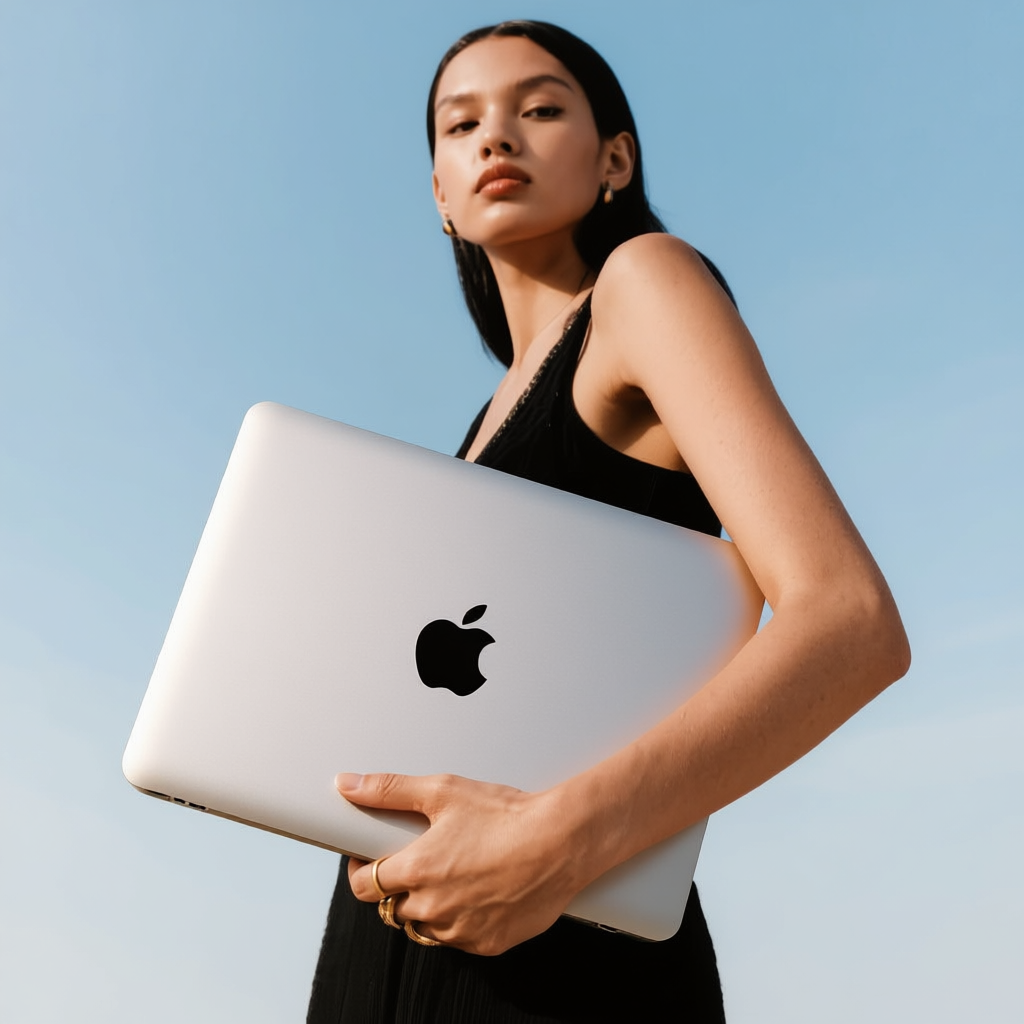
  "prompt": "Change bag to apple macbook"
}ความชอบของมนุษย์
คะแนน Elo จากการโหวตแบบจับคู่ทีละสองแบบโดยไม่เห็นชื่อรุ่น เปรียบเทียบกับโมเดลภาพและวิดีโออื่น ๆ
อันดับอ้างอิงจาก Artificial Analysis Arena
Arena แก้ไขภาพ: ผู้ใช้เลือกงานแก้ไขที่ดีกว่าจากภาพเดียวกันและคำสั่งเดียวกันสองแบบ โดยไม่เห็นชื่อโมเดล
The original Qwen Image Edit: change one image with an instruction, including Chinese and English text edits. strength controls how far the result may move from the input.
| Field | Type | Default | Notes |
|---|---|---|---|
prompt | string, required | — | Text instruction. |
image | image URL, required | — | Image to edit. JPEG, PNG, or WebP URL. |
strength | number 0.01–1 | 0.94 | How much the output may differ from the input (0.01–1). |
output_format | jpeg / png | png | Output file format. |
aspect_ratio | 21:9 / 16:9 / 3:2 / 4:3 / 5:4 / 1:1 / 4:5 / 3:4 / 2:3 / 9:16 | — | Omit to follow the input image. |
seed | integer | random | Fix it to compare prompt changes. |
$0.045 per output image, Alibaba's list price.
| Request | Price |
|---|---|
| One image | $0.045 |
Failed runs are not charged.
strength for subtle edits.Related: alibaba/qwen-image-edit/2511, alibaba/qwen-image-edit/2511/multiple-angles, alibaba/qwen-image-3/edit (newer).
เริ่มสร้าง
ส่งโมเดลนี้ผ่าน SandBase Unified Run API
# The quoted heredoc keeps Unicode and shell metacharacters unchanged.
result=$(curl --fail-with-body --silent \
  -X POST "https://api.sandbase.ai/v1/run" \
  -H "Authorization: Bearer $SANDBASE_API_KEY" \
  -H "Content-Type: application/json" \
  --data-binary @- <<'SANDBASE_JSON'
{
  "model": "alibaba/qwen-image-edit",
  "image": "https://static.sandbase.ai/examples/alibaba/qwen-image-edit/input_image_0.png",
  "prompt": "Change bag to apple macbook",
  "strength": 0.94,
  "output_format": "png"
}
SANDBASE_JSON
)
run_id=$(printf '%s' "$result" | jq -r .id)
for attempt in $(seq 1 120); do
  status=$(printf '%s' "$result" | jq -r .status)
  case "$status" in completed|failed|timeout) break ;; esac
  sleep 2
  result=$(curl --fail-with-body --silent \
    -H "Authorization: Bearer $SANDBASE_API_KEY" \
    "https://api.sandbase.ai/v1/run/$run_id")
done
status=$(printf '%s' "$result" | jq -r .status)
[ "$status" = completed ] || { echo "Generation ended: $status" >&2; exit 1; }
printf '%s\n' "$result"สร้าง SandBase API key และตั้งค่าไว้ในสภาพแวดล้อมฝั่งเซิร์ฟเวอร์ คำขอทั้งหมดใช้การยืนยันตัวตนแบบ Bearer
export SANDBASE_API_KEY="YOUR_API_KEY"เก็บ key ไว้บนเซิร์ฟเวอร์ อย่าเปิดเผยในโค้ดฝั่งเบราว์เซอร์หรือคอมมิตลง repository
POST ไปที่ /v1/run ด้วย model ID นี้และอินพุตของมัน ตัวอย่างคำขอด้านบนมีทั้งการส่งและการ polling
ใช้ run ID ที่ส่งกลับมาเพื่อ polling จนกว่าสถานะจะเป็น completed, failed หรือ timeout ให้อ่าน output หลังจาก completed เท่านั้น
curl "https://api.sandbase.ai/v1/run/$RUN_ID" \
-H "Authorization: Bearer $SANDBASE_API_KEY"ส่ง URL ไฟล์ที่เข้าถึงได้สาธารณะในช่อง image, video หรือ audio ของโมเดล รูปแบบและข้อจำกัดที่รองรับแสดงอยู่ข้างแต่ละอินพุตใน Playground
ใช้ตัวควบคุม upload หรือ replace ในช่องรูปภาพที่รองรับใน Playground ช่อง URL ของวิดีโอรองรับวิดีโอ driving ที่โฮสต์ไว้; ไม่ได้หมายความว่าสามารถอัปโหลดวิดีโอได้
seedintegerThe same seed and the same prompt given to the same version of the model will output the same image every time.
imagestringจำเป็นThe URL of the image to edit.
promptstringจำเป็นThe prompt to generate the image with
strengthnumberStrength of the image-to-image transformation. Lower values preserve more of the original image.
ค่าเริ่มต้น: 0.94
ขั้นต่ำ: 0.01
สูงสุด: 1
aspect_ratiostringThe aspect ratio of the generated image.
ค่าที่เป็นไปได้: "21:9", "16:9", "3:2", "4:3", "5:4", "1:1", "4:5", "3:4", "2:3", "9:16"
output_formatstringThe format of the generated image.
ค่าเริ่มต้น: "png"
ค่าที่เป็นไปได้: "jpeg", "png"
{
  "model": "alibaba/qwen-image-edit",
  "image": "https://static.sandbase.ai/examples/alibaba/qwen-image-edit/input_image_0.png",
  "prompt": "Change bag to apple macbook",
  "strength": 0.94,
  "output_format": "png"
}run ที่เสร็จสมบูรณ์จะแสดงผลลัพธ์ใน output ต่อไปนี้เป็นตัวอย่างที่บันทึกไว้ของโมเดล ไม่ใช่การสร้างใหม่
[
  {
    "source": "Alibaba Model Studio schema mirror",
    "source_url": "https://www.alibabacloud.com/help/en/model-studio/",
    "url": "https://static.sandbase.ai/examples/69e64dd1-c75f-49b4-a0e5-675d63145694/output/e781f31d-d23b-4821-8955-084dfdd76da6.png"
  }
]