
seedinteger
Random seed for reproducibility.
alibaba/qwen-image-edit/2511/multiple-anglesQwen Image Edit 2511 Multiple Angles by Alibaba - AI-powered image editing, style transfer, and transformation. Edit photos with natural language instructions, remove backgrounds, change styles, and enhance images effortlessly.
Modeli deneyin
PNG, JPEG, WebP, or GIF · 20 MiB maximum each
Sırada ne yapmak istersiniz?
Bir örnek seçerek girdilerini ve sonucunu playground'a yükleyin.
{}Re-render a subject from a new camera angle. Set the rotation, tilt, and zoom and Qwen Image Edit 2511 infers the unseen sides while keeping shape, color, and branding consistent; useful for product turnarounds and character sheets.
| Field | Type | Default | Notes |
|---|---|---|---|
images | image URL[] | — | Image(s) of the subject. |
output_format | png / jpeg | png | Output file format. |
vertical_angle | number -30–90 | 0 | Camera tilt in degrees (−30 to 90). |
horizontal_angle | number 0–360 | 0 | Camera rotation around the subject in degrees (0–360). |
zoom | number 0–10 | 5 | 0 is far, 10 is close. |
additional_prompt | string | — | Optional extra instruction. |
aspect_ratio | 21:9 / 16:9 / 3:2 / 4:3 / 5:4 / 1:1 / 4:5 / 3:4 / 2:3 / 9:16 | — | Output shape. |
seed | integer | random | Fix it to compare prompt changes. |
$0.035 per output image.
| Request | Price |
|---|---|
| One view | $0.035 |
Failed runs are not charged.
seed fixed for a consistent set.additional_prompt.Related: alibaba/qwen-image-edit, alibaba/qwen-image-edit/2511.
Geliştirmeye başlayın
Bu modeli SandBase Unified Run API üzerinden gönderin.
# The quoted heredoc keeps Unicode and shell metacharacters unchanged.
result=$(curl --fail-with-body --silent \
  -X POST "https://api.sandbase.ai/v1/run" \
  -H "Authorization: Bearer $SANDBASE_API_KEY" \
  -H "Content-Type: application/json" \
  --data-binary @- <<'SANDBASE_JSON'
{
  "model": "alibaba/qwen-image-edit/2511/multiple-angles",
  "zoom": 5,
  "images": [
    "https://static.sandbase.ai/examples/alibaba/qwen-image-edit/2511/multiple-angles/input_images_0.png"
  ],
  "output_format": "png",
  "vertical_angle": 0,
  "horizontal_angle": 0
}
SANDBASE_JSON
)
run_id=$(printf '%s' "$result" | jq -r .id)
for attempt in $(seq 1 120); do
  status=$(printf '%s' "$result" | jq -r .status)
  case "$status" in completed|failed|timeout) break ;; esac
  sleep 2
  result=$(curl --fail-with-body --silent \
    -H "Authorization: Bearer $SANDBASE_API_KEY" \
    "https://api.sandbase.ai/v1/run/$run_id")
done
status=$(printf '%s' "$result" | jq -r .status)
[ "$status" = completed ] || { echo "Generation ended: $status" >&2; exit 1; }
printf '%s\n' "$result"Bir SandBase API anahtarı oluşturun ve sunucu ortamınıza ayarlayın. Tüm istekler Bearer kimlik doğrulaması kullanır.
export SANDBASE_API_KEY="YOUR_API_KEY"Anahtarı sunucuda tutun. Tarayıcı kodunda açığa çıkarmayın veya bir depoya commit etmeyin.
Bu model kimliği ve girdileriyle /v1/run adresine POST gönderin. Yukarıdaki istek örneği gönderme ve yoklamayı içerir.
Durum completed, failed veya timeout olana kadar verilen run ID ile yoklama yapın. Çıktıyı yalnızca completed olduktan sonra okuyun.
curl "https://api.sandbase.ai/v1/run/$RUN_ID" \
-H "Authorization: Bearer $SANDBASE_API_KEY"Modelin image, video veya audio alanına herkese açık erişilebilir bir dosya URL'si verin. Desteklenen formatlar ve sınırlar her Playground girişinin yanında gösterilir.
Playground'daki desteklenen image alanlarında yükleme veya değiştirme kontrolünü kullanın. Video URL alanları barındırılan bir sürüş videosu kabul eder; video yükleme desteği anlamına gelmez.
seedintegerRandom seed for reproducibility.
zoomnumberCamera zoom/distance. 0=wide shot (far away), 5=medium shot (normal), 10=close-up (very close).
Varsayılan: 5
Minimum: 0
Maksimum: 10
imagesarrayThe URL of the image to adjust camera angle for.
aspect_ratiostringThe aspect ratio of the generated image.
Olası değerler: "21:9", "16:9", "3:2", "4:3", "5:4", "1:1", "4:5", "3:4", "2:3", "9:16"
output_formatstringThe format of the output image
Varsayılan: "png"
Olası değerler: "png", "jpeg"
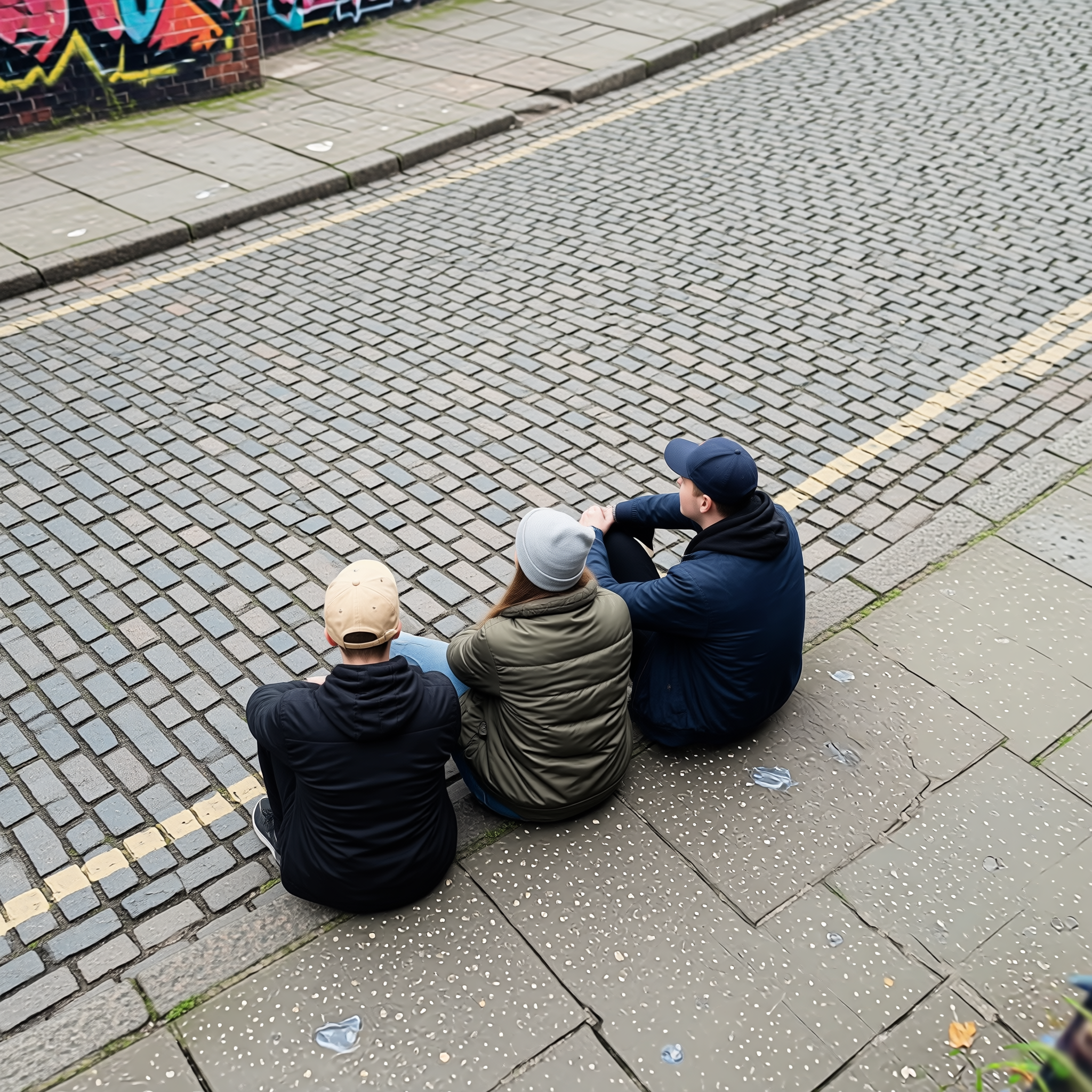
vertical_anglenumberVertical camera angle in degrees. -30°=low-angle shot (looking up), 0°=eye-level, 30°=elevated, 60°=high-angle, 90°=bird's-eye view (looking down).
Varsayılan: 0
Minimum: -30
Maksimum: 90
horizontal_anglenumberHorizontal rotation angle around the object in degrees. 0°=front view, 90°=right side, 180°=back view, 270°=left side, 360°=front view again.
Varsayılan: 0
Minimum: 0
Maksimum: 360
additional_promptstringAdditional text to append to the automatically generated prompt.
{
  "model": "alibaba/qwen-image-edit/2511/multiple-angles",
  "zoom": 5,
  "images": [
    "https://static.sandbase.ai/examples/alibaba/qwen-image-edit/2511/multiple-angles/input_images_0.png"
  ],
  "output_format": "png",
  "vertical_angle": 0,
  "horizontal_angle": 0
}Tamamlanan bir run, sonucunu output içinde gösterir. Aşağıdaki, modelin kaydedilmiş örneğidir; yeni bir üretim değildir.
[
  {
    "source": "Alibaba Model Studio schema mirror",
    "source_url": "https://www.alibabacloud.com/help/en/model-studio/",
    "url": "https://static.sandbase.ai/examples/18b21c05-764f-43eb-9262-274fc14e03d9/output/368ca32c-f20e-480b-9170-02fa12467b67.png"
  }
]