
Free add cat ears to photo
ÜcretsizAI görselAdd cute cat ears to anyone: fluffy, pointy, headband or anime style, blended with the hair color and light.
- 100% free
- No sign-up
- No watermark
- Works on phone
Örnek sonuç
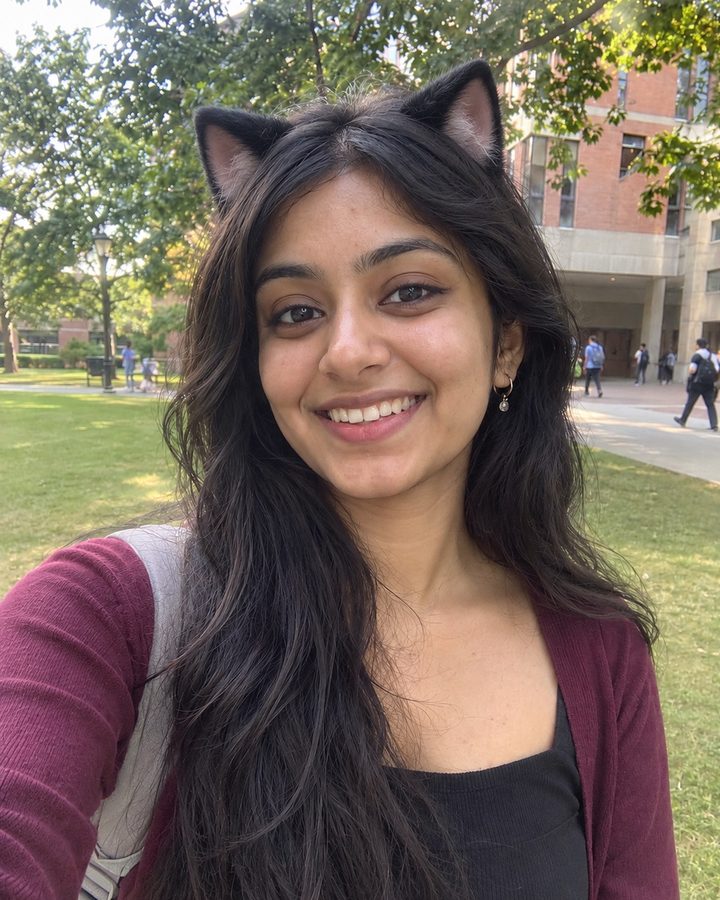
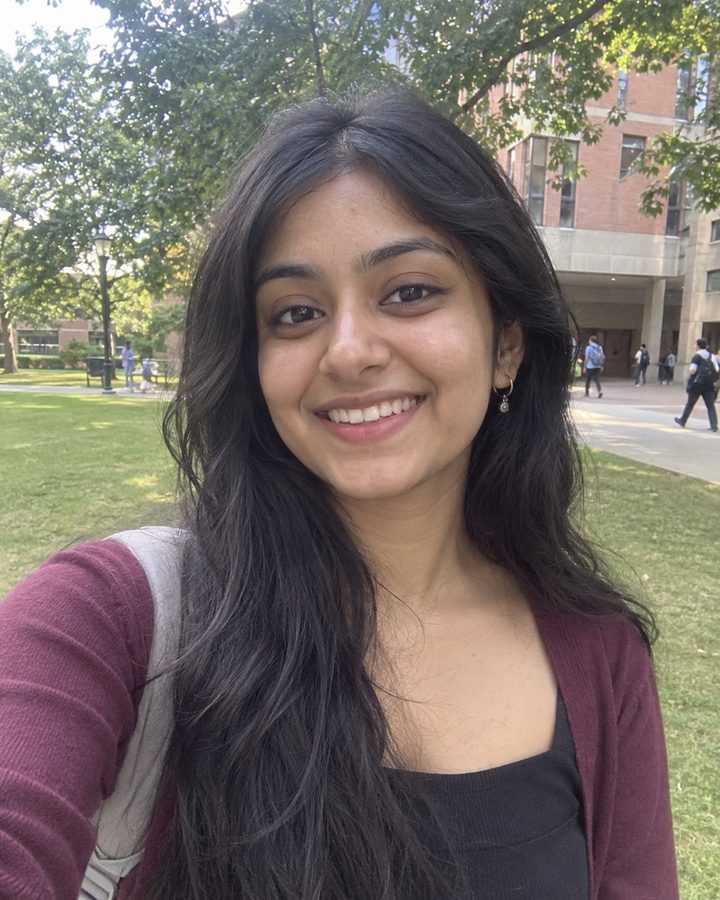 ÖnceSonra
A photo with black cat ears.
Add Cat Ears to Photo nasıl kullanılır
Üç adımda, bilgisayarda veya telefonda.
- 01
Upload a photo
Drop, paste or pick a JPG, PNG, WebP or HEIC image; on a phone you can take one with the camera.
- 02
Choose what to add
Pick What to add (Black, Pink or Natural), then select Add to photo. A result usually takes about 20 seconds.
- 03
Compare and download
Compare it with your original, then download a JPG. Example on this page: a photo with black cat ears.
Daha fazla örnek
Aynı aracın, elle düzenleme yapılmadan diğer fotoğraflardaki kullanımı. Kendiniz denemek için birini açın.

Önce 
Sonra Fotoğrafınızda deneyin
Bir fotoğraf yükleyin ve saniyeler içinde sonucu alın. Ücretsiz, kayıt yok, filigran yok.
Bir fotoğraf yükleyin
İnsanlar bunu ne için kullanıyor
Cute avatars
Profile pictures for gaming and social.
Cosplay
Preview a look.
Halloween
A quick costume photo.
Daha iyi sonuç için ipuçları
- Match the ear color to the hair.
- Leave space above the head.
- Anime style suits cartoon avatars.
Daha fazla kontrol mü lazım? API'yi kullanın
Bu araç SandBase image API üzerinde çalışır. API, ücretsiz aracın sizin için sabitlediği tüm ayarları size sunar.
- Daha yüksek kalite ve boyuttek çağrıda quality=high, 2K'ya kadar boyutlar ve şeffaf arka planlar.
- Kendi prompt'unuzŞablonu değiştirin, referans görseller ekleyin veya kodunuzdan ya da Agent'tan yüzlerce görseli toplu işleyin.
- Görsel başına ödemeÜcretsiz araç kotasının ötesinde SandBase bakiyenizi kullanın. Model kullanılabilirliği ve API hız sınırları yine geçerlidir.
# Set SANDBASE_API_KEY and choose your local image file.
IMAGE_FILE="photo.jpg"
curl --fail-with-body https://api.sandbase.ai/v1/images/edits \
  -H "Authorization: Bearer $SANDBASE_API_KEY" \
  --form-string 'model=gpt-image-2.6-flare' \
  --form "image=@${IMAGE_FILE}" \
  --form-string 'quality=high' \
  --form-string 'size=2048x2048' \
--form-string 'prompt=Add black cat ears to this photo, blended in naturally with matching light, shadows, perspective and color. Keep the people, faces, identity and everything else exactly as they are.'SSS
Which colors are there?
Black, pink or natural, which matches your hair.
Does it work on pets?
Yes.
Will it change my face?
No. The prompt keeps faces and everything else as they are; only the new element is added.
Add Cat Ears to Photo ücretsiz mi?
Evet, filigransız ve kayıt olmadan. Add Cat Ears to Photo ile tek bir çalışma yaklaşık 20 saniye sürer ve size bir JPG verir. Bu, tüm AI image araçları arasında paylaşılan ücretsiz günlük AI image hakkından bir çalışmadır: giriş yapmadan günde 10 çalışma ve ücretsiz bir SandBase hesabıyla 30 çalışma. Araç, kaç hakkınız kaldığını gösterir ve sayaç UTC gece yarısında sıfırlanır; ağ ve site genelindeki sınırlamalar da लागू olabilir.
Add Cat Ears to Photo içine yüklediğim fotoğrafa ne olur?
Fotoğrafınız ve ayarlarınız, bu tek sonucu oluşturmak için SandBase ve görsel sağlayıcısı tarafından işlenir. Add Cat Ears to Photo hiçbir şeyi herkese açık bir galeriye yayımlamaz. Sonuçlar 24 saate kadar önbellekten yeniden kullanılabilir; bu yüzden aynı istek başka bir çalışma kullanmaz; saklamak istediğiniz her sonucu indirin.
Bu iş için SandBase API'leri
Aynı tür veriyi kendi kodunuzda veya Agent içinde kullanın: tek bir API anahtarı, çağrı başına faturalandırma.
Daha fazla araç
Add Bunny Ears to Photo
Add bunny ears to a photo, blended in naturally.
AI Photo Editor
Edit any photo by describing the change in plain words: weather, outfit, light, background. Review the rest of the image for unintended changes.
Add Santa Hat to Photo
Add santa hat to a photo, blended in naturally.
Add Sparkles to Photo
Add sparkles to a photo, blended in naturally.
Add Sunglasses to Photo
Add sunglasses to a photo, blended in naturally.
Add Crown to Photo
Add crown to a photo, blended in naturally.