
seedinteger
The same seed and the same prompt given to the same version of the model will output the same image every time.
alibaba/qwen-image-edit/2511Qwen Image Edit 2511 by Alibaba - AI-powered image editing, style transfer, and transformation. Edit photos with natural language instructions, remove backgrounds, change styles, and enhance images effortlessly.
Thử model
PNG, JPEG, WebP, or GIF · 20 MiB maximum each
Bạn muốn làm gì tiếp theo?
Chọn một ví dụ để nạp đầu vào và kết quả của nó vào playground.
{
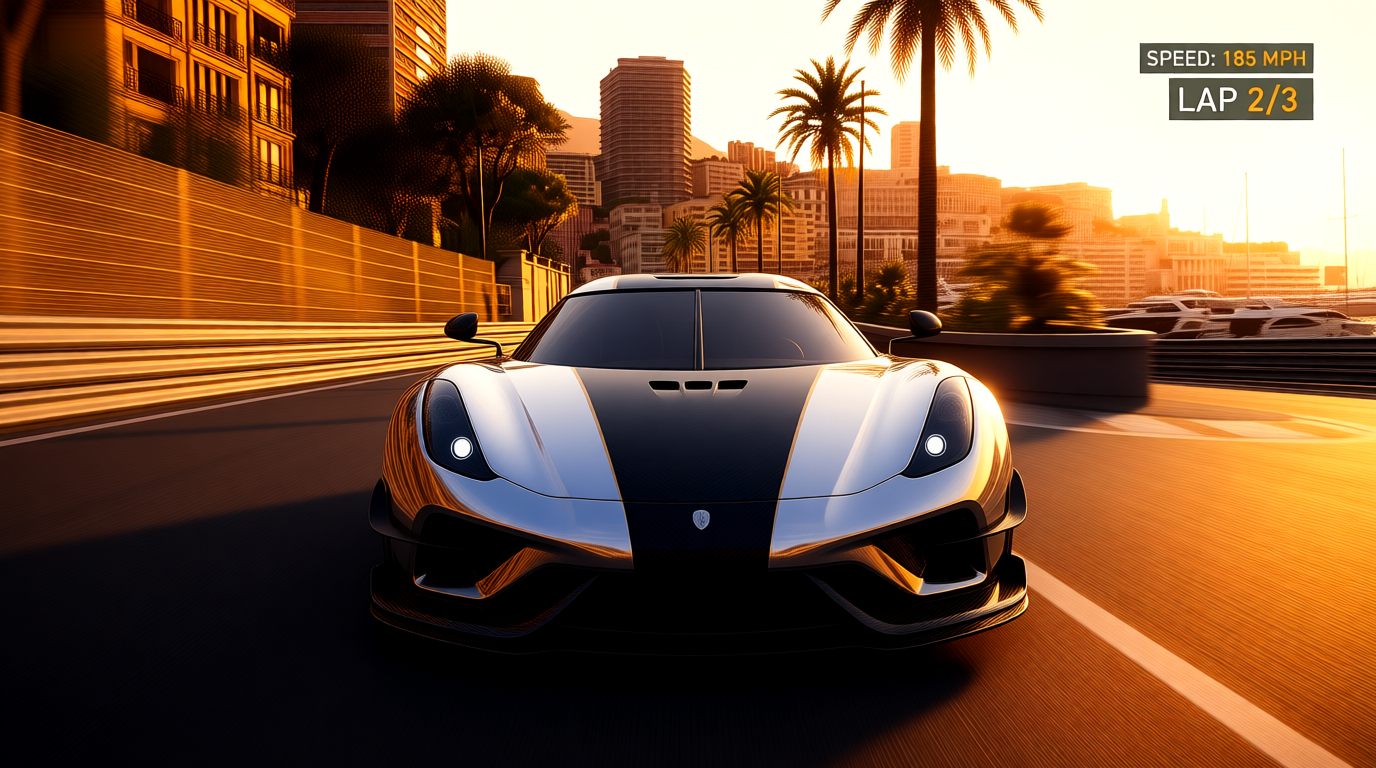
  "prompt": "Change angle to front view"
}Sở thích con người
Điểm Elo từ các lượt bình chọn ẩn, so sánh với các mô hình hình ảnh và video khác.
Xếp hạng lấy từ Artificial Analysis Arena
Arena chỉnh sửa hình ảnh: người dùng chọn bản tốt hơn trong hai lần chỉnh sửa cùng một hình và cùng một hướng dẫn, không thấy tên model.
Qwen Image Edit 2511 improves consistency over the original edit model: faces, products, and text stay stable while you change pose, background, or style, and several images can be combined.
| Field | Type | Default | Notes |
|---|---|---|---|
prompt | string, required | — | Text instruction. |
images | image URL[] | — | Images to edit or combine, Image 1, Image 2, … |
output_format | jpeg / png | png | Output file format. |
aspect_ratio | 21:9 / 16:9 / 3:2 / 4:3 / 5:4 / 1:1 / 4:5 / 3:4 / 2:3 / 9:16 | — | Omit to follow the first input image. |
seed | integer | random | Fix it to compare prompt changes. |
$0.03 per output image.
| Request | Price |
|---|---|
| One image | $0.03 |
Failed runs are not charged.
Related: alibaba/qwen-image-edit, alibaba/qwen-image-edit/2511/multiple-angles, alibaba/qwen-image-3/edit (newer).
Bắt đầu xây dựng
Gửi model này qua SandBase Unified Run API.
# The quoted heredoc keeps Unicode and shell metacharacters unchanged.
result=$(curl --fail-with-body --silent \
  -X POST "https://api.sandbase.ai/v1/run" \
  -H "Authorization: Bearer $SANDBASE_API_KEY" \
  -H "Content-Type: application/json" \
  --data-binary @- <<'SANDBASE_JSON'
{
  "model": "alibaba/qwen-image-edit/2511",
  "images": [
    "https://static.sandbase.ai/examples/alibaba/qwen-image-edit/2511/input_images_0.png"
  ],
  "prompt": "Change angle to front view",
  "output_format": "png"
}
SANDBASE_JSON
)
run_id=$(printf '%s' "$result" | jq -r .id)
for attempt in $(seq 1 120); do
  status=$(printf '%s' "$result" | jq -r .status)
  case "$status" in completed|failed|timeout) break ;; esac
  sleep 2
  result=$(curl --fail-with-body --silent \
    -H "Authorization: Bearer $SANDBASE_API_KEY" \
    "https://api.sandbase.ai/v1/run/$run_id")
done
status=$(printf '%s' "$result" | jq -r .status)
[ "$status" = completed ] || { echo "Generation ended: $status" >&2; exit 1; }
printf '%s\n' "$result"Tạo một SandBase API key và đặt nó trong môi trường máy chủ của bạn. Tất cả request sử dụng xác thực Bearer.
export SANDBASE_API_KEY="YOUR_API_KEY"Giữ key trên máy chủ. Không hiển thị trong mã trình duyệt hoặc commit vào repository.
POST tới /v1/run với model ID này và các đầu vào của nó. Ví dụ request ở trên bao gồm cả bước gửi và polling.
Dùng run ID được trả về để poll cho đến khi trạng thái là completed, failed hoặc timeout. Chỉ đọc đầu ra sau khi completed.
curl "https://api.sandbase.ai/v1/run/$RUN_ID" \
-H "Authorization: Bearer $SANDBASE_API_KEY"Cung cấp một URL tệp có thể truy cập công khai trong trường image, video hoặc audio của model. Các định dạng và giới hạn được hỗ trợ hiển thị bên cạnh từng input trong Playground.
Dùng điều khiển upload hoặc replace trên các trường image được hỗ trợ trong Playground. Trường URL video chấp nhận một video driving được host; điều này không đồng nghĩa hỗ trợ tải lên video.
seedintegerThe same seed and the same prompt given to the same version of the model will output the same image every time.
imagesarrayThe URLs of the images to edit.
promptstringbắt buộcThe prompt to edit the image with.
aspect_ratiostringThe aspect ratio of the generated image.
Giá trị có thể dùng: "21:9", "16:9", "3:2", "4:3", "5:4", "1:1", "4:5", "3:4", "2:3", "9:16"
output_formatstringThe format of the generated image.
Mặc định: "png"
Giá trị có thể dùng: "jpeg", "png"
{
  "model": "alibaba/qwen-image-edit/2511",
  "images": [
    "https://static.sandbase.ai/examples/alibaba/qwen-image-edit/2511/input_images_0.png"
  ],
  "prompt": "Change angle to front view",
  "output_format": "png"
}Một run đã hoàn tất sẽ hiển thị kết quả trong output. Phần sau là ví dụ đã lưu của model, không phải một lần tạo mới.
[
  {
    "source": "Alibaba Model Studio schema mirror",
    "source_url": "https://www.alibabacloud.com/help/en/model-studio/",
    "url": "https://static.sandbase.ai/examples/903de655-877e-46dd-a31a-1aafb01f1aca/output/f8d5e4b0-91d8-4848-94f9-81c9f9f45b8a.png"
  }
]