
Free AI wall art generator
Miễn phíẢnh AIDescribe the art you want for your wall, pick a style, and get a print you can frame, in a shape that fits common frame sizes.
- 100% free
- No sign-up
- No watermark
- Any shape
Kết quả mẫu
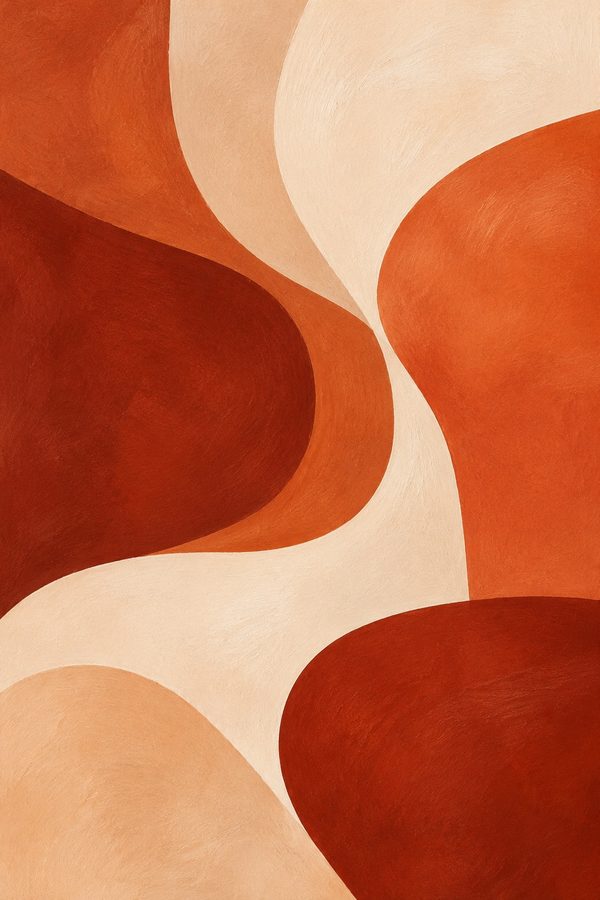 Ví dụ
An abstract print in terracotta and cream.
Cách dùng AI Wall Art Generator
Ba bước, trên máy tính hoặc điện thoại.
- 01
Write your idea
Type your idea, for example "abstract warm shapes in terracotta and cream", or tap one of the examples.
- 02
Choose style and shape
Pick Style (Abstract, Botanical, Line art, Photographic or Boho) and a shape, from square to 16:9, then select Make wall art. A result usually takes about 15 seconds.
- 03
Review and download
Check the picture, then download a JPG. Example on this page: an abstract print in terracotta and cream.
Thêm ví dụ
Được tạo bằng công cụ này, không chỉnh sửa thủ công. Mở một mẫu để bắt đầu từ cài đặt của nó.
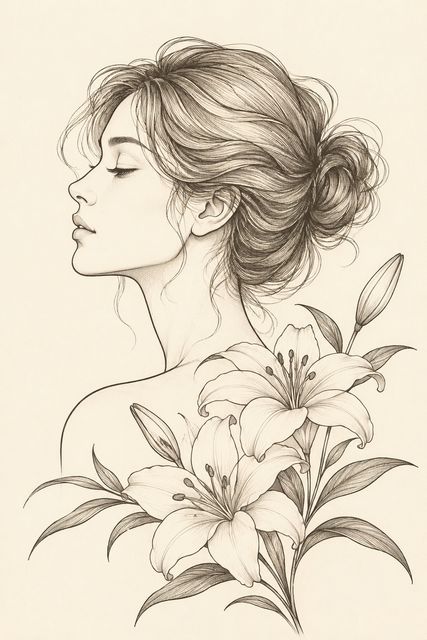
Ví dụ “a calm line drawing of a woman's profile” · Botanical
Phong cách: Thực vật · Hình dạng: 2:3
Dùng ví dụ nàyTự tạo cho bạn
Mô tả điều bạn muốn và nhận kết quả trong vài giây. Miễn phí, không cần đăng ký, không có watermark.
Mở công cụ
Mục đích sử dụng
Home decor
Prints for the living room or bedroom.
Gifts
A custom print for a friend.
Sellers
Starting designs for print shops.
Mẹo để có kết quả tốt hơn
- Pick 2:3 or 3:4 for standard frames.
- Name the room colors, like “sage and cream”, so the art fits.
- Line art and Botanical work well in sets of two or three.
Cần kiểm soát nhiều hơn? Dùng API
Công cụ này chạy trên SandBase image API. API cho bạn mọi cài đặt mà công cụ miễn phí đã cố định sẵn.
- Chất lượng và kích thước cao hơnquality=high, kích thước đến 2K và nền trong suốt chỉ trong một lần gọi.
- Prompt của riêng bạnThay đổi mẫu, thêm ảnh tham chiếu, hoặc xử lý hàng trăm ảnh từ code hay Agent của bạn.
- Trả theo từng ảnhSử dụng số dư SandBase của bạn ngoài hạn mức miễn phí của công cụ. Vẫn áp dụng giới hạn model và giới hạn tốc độ của API.
# Set SANDBASE_API_KEY first.
curl --fail-with-body https://api.sandbase.ai/v1/images/generations \
  -H "Authorization: Bearer $SANDBASE_API_KEY" \
  -H "Content-Type: application/json" \
  --data-binary @- <<'SANDBASE_JSON'
{
  "model": "gpt-image-2.6-flare",
  "prompt": "A piece of wall art: abstract warm shapes in terracotta and cream. An abstract art print with organic shapes. A balanced composition that looks good in a frame, no text, no watermark, no frame in the image.",
  "size": "1536x1024",
  "quality": "high"
}
SANDBASE_JSONCâu hỏi thường gặp
What frame size fits 2:3?
4x6, 8x12, 12x18 and 24x36 inches are 2:3. Upscale the image first for large prints.
AI Wall Art Generator có miễn phí không?
Có, không có watermark và không cần đăng ký. Một lần chạy AI Wall Art Generator mất khoảng 15 giây và cho bạn một JPG. Nó dùng một lượt trong hạn mức miễn phí hằng ngày cho AI image, được dùng chung cho tất cả công cụ AI image: 10 lượt mỗi ngày khi chưa đăng nhập và 30 lượt với tài khoản SandBase miễn phí. Công cụ sẽ hiển thị bạn còn bao nhiêu lượt, và số đếm được đặt lại lúc 00:00 UTC; giới hạn về mạng và toàn trang web cũng có thể áp dụng.
Khi tôi chạy AI Wall Art Generator, nó gửi gì?
Chỉ văn bản và các tùy chọn bạn chọn sẽ được SandBase và nhà cung cấp ảnh xử lý để tạo ra kết quả này. AI Wall Art Generator không công bố gì lên thư viện công khai. Kết quả có thể được dùng lại từ bộ nhớ đệm trong tối đa 24 giờ, vì vậy một yêu cầu giống hệt sẽ không dùng thêm lượt nữa; hãy tải xuống mọi kết quả bạn muốn giữ lại.
SandBase APIs cho công việc này
Loại dữ liệu tương tự trong code của bạn hoặc Agent: một API key, tính phí theo mỗi lần gọi.
Thêm tools
AI Outfit Changer
Try a new outfit on your photo: suit, streetwear, jacket, evening wear or your own idea.
AI Interior Design
Redesign a room from a photo in eight styles: the layout stays and the furniture and decor change.
AI Clothes Changer
Change one piece of clothing in a photo, such as a top, jacket or dress, to any color or style you type.
AI Floor Plan Renderer
Turn a 2D floor plan into a furnished 3D isometric view in four styles.
AI Architecture Render
Turn a building sketch or photo into a photoreal render with your light and materials.
AI Wall Paint Colors
Try wall paint colors on a photo of your room, in seven colors.