
免費AI 圖片放大器至 4K
免費AI 圖像將小圖或模糊圖片生成更高解析度版本。可選擇 2K 或 4K 輸出,然後檢查人臉、紋理與文字:AI 是在合成細節,而不是還原遺失的原始內容。
- 100% 免費
- 最高可達 4K
- 照片、插畫、文字
- 無浮水印
範例結果
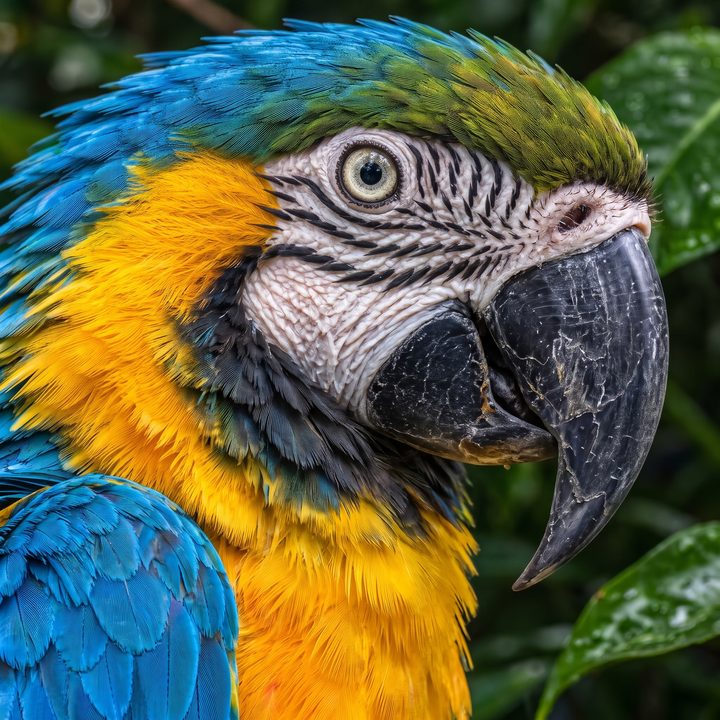
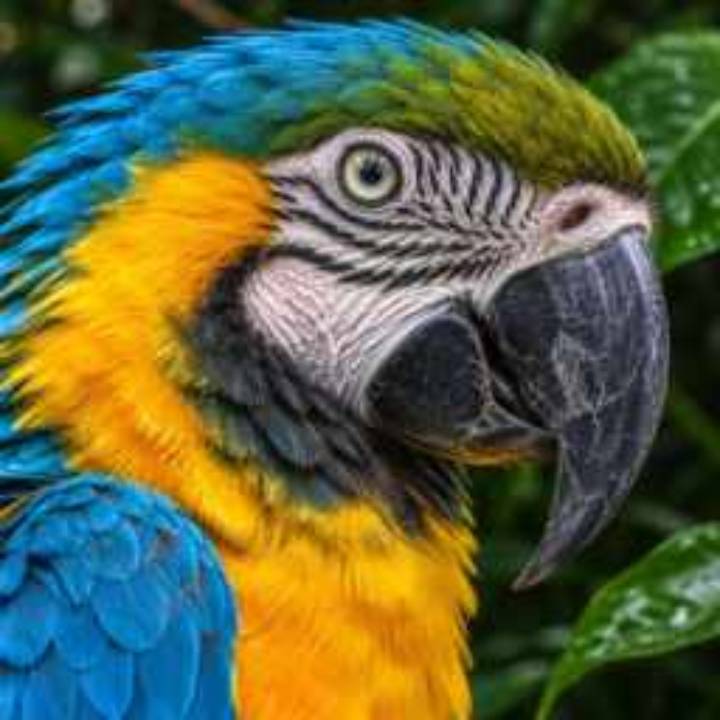 前後
一張 256 px 的鸚鵡照片,重建為 2K,羽毛清晰銳利。
如何使用 AI 圖片放大器
三個步驟,電腦或手機都可以。
- 01
上傳圖片
照片、插圖或截圖,格式可為 JPG、PNG、WebP 或 HEIC。
- 02
選擇類型與尺寸
照片、插畫或文字,以及 2K 或 4K 輸出。
- 03
放大並下載
用滑桿比較後,下載高解析度 JPG。
大家都拿它來做什麼
舊照片與小照片
多年前的手機照片、裁切圖與縮圖。
列印
為列印專案準備更大的圖片;列印前請先檢查像素尺寸、預計列印大小與細節。
截圖與作品
試著放大作品或截圖,再根據原圖確認文字與線條是否正確。
提升效果的小技巧
- 繪圖請選「藝術/動畫」,投影片請選「文字/截圖」。
- 先選擇符合專案需求的輸出尺寸,再檢查下載後的尺寸。
- 它會重建細節,所以列印前請先確認人臉與文字。
需要更多控制嗎?使用 API
這個工具由 SandBase 圖像 API 驅動。API 會提供你免費工具替你固定好的每一項設定。
- 更高的品質與尺寸最高可輸出 4K,且支援任何長寬比,包括超寬與直式。
- 你自己的提示詞修改範本、加入參考圖片,或從你的程式碼或 Agent 批次處理數百張圖片。
- 按張計費可使用超出免費工具額度的 SandBase 餘額。模型可用性與 API 速率限制仍適用。
# Set SANDBASE_API_KEY first.
# Replace photo.jpg with your local JPEG file.
IMAGE_FILE="photo.jpg"
python3 - "$IMAGE_FILE" <<'SANDBASE_PY' > request.json
import base64, json, pathlib, sys
payload = json.loads("{\"contents\":[{\"role\":\"user\",\"parts\":[{\"text\":\"Upscale and enhance this image to high resolution. Keep the content, composition, identity, faces, text, colors and lighting exactly the same. Only sharpen details (skin texture, hair strands, fabric, edges, small text), remove blur, noise and compression artifacts. Treat it as a photograph. Do not add, remove or restyle anything.\"},{\"inline_data\":{\"mime_type\":\"image/jpeg\",\"data\":\"\"}}]}],\"generationConfig\":{\"responseModalities\":[\"IMAGE\"],\"imageConfig\":{\"imageSize\":\"4K\"}}}")
payload["contents"][0]["parts"][1]["inline_data"]["data"] = base64.b64encode(pathlib.Path(sys.argv[1]).read_bytes()).decode("ascii")
print(json.dumps(payload))
SANDBASE_PY
curl --fail-with-body https://api.sandbase.ai/v1beta/models/google/gemini-nano-banana-2.1:generateContent \
  -H "Authorization: Bearer $SANDBASE_API_KEY" \
  -H "Content-Type: application/json" \
--data-binary @request.json常見問題
結果有多大?
此工具會向模型請求生成 2K 或 4K。確切像素尺寸取決於其輸出與最接近支援的長寬比。構圖可能會不同;在調整列印尺寸前,請先檢查下載的檔案。
它會憑空編造細節嗎?
會。它會生成看起來合理的細節,並可能改變文字、人臉或紋理。上傳檔案會在生成前縮放到最長邊 1536 像素,因此這不是對原圖的無損放大。請保留原始檔並仔細比對。
AI 圖片放大器 是免費的嗎?
是的,無浮水印、免註冊。執行一次 AI 圖片放大器 約需 35 秒,並會產生 JPG。這會使用每日免費 AI 圖像額度的一次執行;此額度由所有 AI 圖像工具共用:未登入時每天可執行 10 次,註冊免費 SandBase 帳戶後可執行 30 次。工具會顯示你還剩多少次,數量會在 UTC 午夜重置;也可能適用網路與全站限制。
我上傳到 AI 圖片放大器 的照片會怎麼處理?
你的照片和設定會由 SandBase 與圖像供應商處理,以生成這一個結果。AI 圖片放大器 不會將任何內容發布到公開圖庫。結果可能會從快取重用最長 24 小時,因此相同請求不會再扣一次執行次數;請下載你想保留的任何結果。
SandBase APIs 適用於此工作
在您自己的程式碼或 Agent 中使用相同類型的資料:一組 API 金鑰,按次計費。
更多工具
Unblur Image
Unblur photos with AI: remove motion and focus blur and recover sharp edges, faces and text up to 4K.
AI Photo Restoration
Restore old photos with AI: remove scratches, creases and fading, and colorize black and white pictures.
AI Image Extender
Extend an image beyond its edges with AI: turn a portrait into a wide banner, and the scene continues naturally.
AI Background Remover
Remove the background from any photo with AI and download a transparent PNG, or put the subject on white or any color.
AI Photo Editor
Edit any photo by describing the change in plain words: weather, outfit, light, background. Review the rest of the image for unintended changes.
圖片壓縮器
在瀏覽器中縮小 JPG、PNG 與 WebP 圖片,支援品質滑桿,以及前後大小比較。