
Free virtual staging with AI
GratuitImage IAShow buyers what an empty room can be: pick the room and a style, and the AI adds furniture, a rug, lamps and plants, to scale, in the room you photographed.
- 100% free
- No sign-up
- No watermark
- Works on phone
Résultat d’exemple
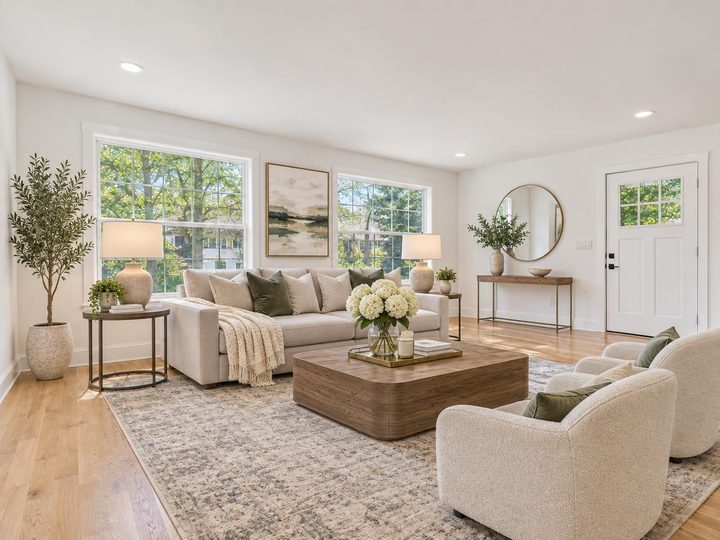
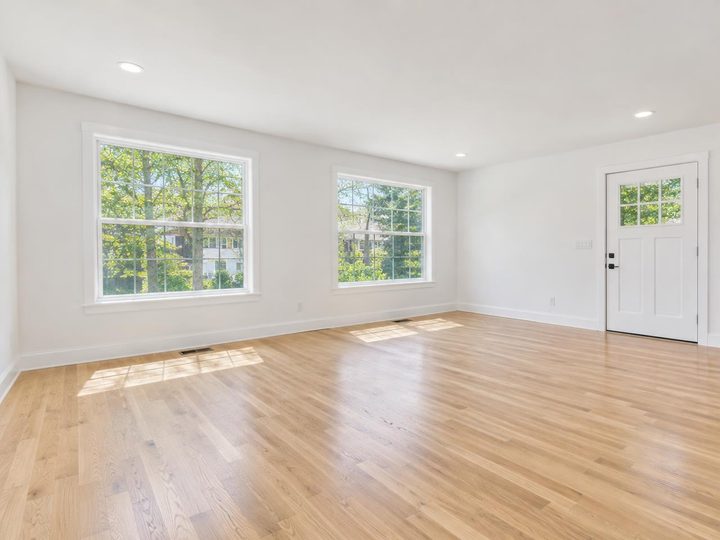 AvantAprès
An empty living room staged in a modern style.
Comment utiliser le Virtual Staging
Trois étapes, sur ordinateur ou téléphone.
- 01
Upload a photo
Drop, paste or pick a JPG, PNG, WebP or HEIC image; on a phone you can take one with the camera.
- 02
Choose room and style
Pick Room (Living room, Bedroom, Dining room, Home office or Nursery) and Style (Modern, Scandinavian, Traditional, Farmhouse or Luxury), then select Stage room. A result usually takes about 20 seconds.
- 03
Compare and download
Compare it with your original, then download a JPG. Example on this page: an empty living room staged in a modern style.
Plus d’exemples
Le même outil sur d’autres photos, sans retouche manuelle. Ouvrez-en une pour l’essayer vous-même.
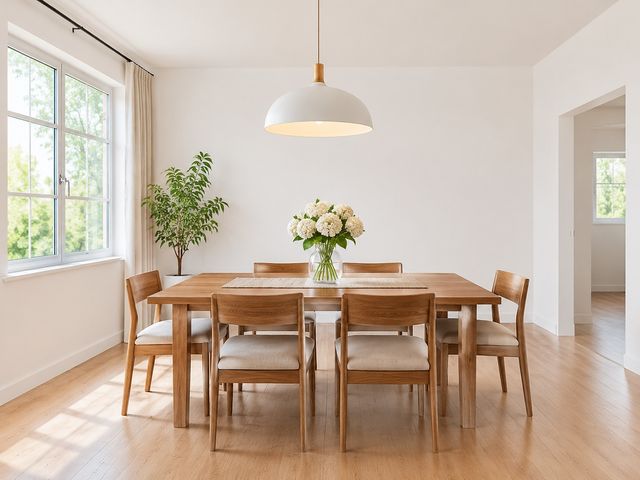
Avant 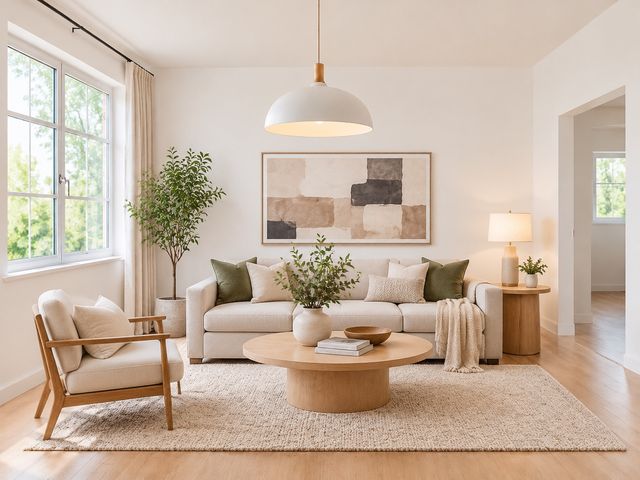
Après Essayez-le sur votre photo
Importez une photo et obtenez le résultat en quelques secondes. Gratuit, sans inscription, sans watermark.
Importer une photo
À quoi les gens l’utilisent
Listings
Stage empty rooms without renting furniture.
Sellers and agents
Show potential before a sale or a renovation.
Designers
Quick concepts for a client from one photo.
Conseils pour un meilleur résultat
- Use a wide photo of the empty room in daylight.
- Pick the Room type that matches the listing, not the furniture that fits best.
- Say the photos are virtually staged in your listing.
Besoin de plus de contrôle ? Utilisez l’API
Cet outil s’appuie sur l’API image de SandBase. L’API vous donne tous les réglages que l’outil gratuit fixe pour vous.
- Qualité et taille supérieuresquality=high, tailles jusqu’à 2K et fonds transparents en un seul appel.
- Votre propre promptModifiez le modèle, ajoutez des images de référence ou traitez par lot des centaines d’images depuis votre code ou votre Agent.
- Payer par imageUtilisez votre solde SandBase au-delà de l’allocation gratuite de l’outil. La disponibilité des modèles et les limites de débit de l’API s’appliquent toujours.
# Set SANDBASE_API_KEY and choose your local image file.
IMAGE_FILE="photo.jpg"
curl --fail-with-body https://api.sandbase.ai/v1/images/edits \
  -H "Authorization: Bearer $SANDBASE_API_KEY" \
  --form-string 'model=gpt-image-2.6-flare' \
  --form "image=@${IMAGE_FILE}" \
  --form-string 'quality=high' \
  --form-string 'size=2048x2048' \
--form-string 'prompt=Virtually stage this empty living room with modern furniture and decor: sofa, rug, tables, lamps, plants and art placed realistically and to scale. Keep the walls, floor, windows, doors, ceiling and room proportions exactly as they are. Photorealistic real estate photo, natural light.'FAQ
Is virtual staging allowed in listings?
Most markets allow it if you say the photo is virtually staged. Check your local rules and label the images.
Virtual Staging est-il gratuit ?
Oui, sans watermark ni inscription. Une exécution de Virtual Staging prend environ 20 secondes et vous donne un JPG. Elle utilise une exécution de l’allocation quotidienne gratuite d’images IA, partagée entre tous les outils d’images IA : 10 exécutions par jour sans connexion et 30 avec un compte SandBase gratuit. L’outil indique combien il vous en reste, et le compteur se réinitialise à minuit UTC ; des limites réseau et globales du site peuvent aussi s’appliquer.
Que devient la photo que j’importe dans Virtual Staging ?
Votre photo et vos réglages sont traités par SandBase et le fournisseur d’images pour produire ce résultat. Virtual Staging ne publie rien dans une galerie publique. Les résultats peuvent être réutilisés depuis un cache pendant 24 heures maximum, donc une requête identique n’utilise pas une nouvelle exécution ; téléchargez tout résultat que vous souhaitez conserver.
API SandBase pour cette tâche
Le même type de données dans votre propre code ou Agent : une seule clé API, facturation à l'appel.
Plus de tools
AI Outfit Changer
Try a new outfit on your photo: suit, streetwear, jacket, evening wear or your own idea.
AI Interior Design
Redesign a room from a photo in eight styles: the layout stays and the furniture and decor change.
AI Clothes Changer
Change one piece of clothing in a photo, such as a top, jacket or dress, to any color or style you type.
AI Floor Plan Renderer
Turn a 2D floor plan into a furnished 3D isometric view in four styles.
AI Architecture Render
Turn a building sketch or photo into a photoreal render with your light and materials.
AI Fashion Design Generator
Generate fashion concepts from a description: sketch, flat drawing, model photo or moodboard.