
Free white background maker
Turn any photo into a clean white-background shot: products for Amazon, eBay and Etsy, portraits for forms, anything on pure white, with a soft natural shadow or none.
- 100% free
- No sign-up
- No watermark
- Works on phone
Sample result
Example
 BeforeAfter
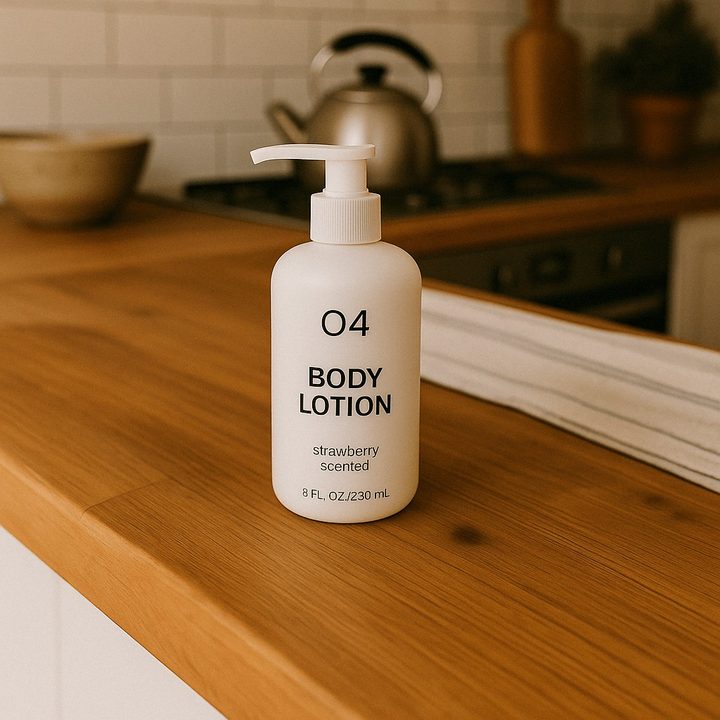
A product photo on a kitchen counter, placed on pure white with a soft shadow.
How to use the White Background Maker
Three steps, on a computer or a phone.
- 1. Upload a photoDrop, paste or pick a JPG, PNG, WebP or HEIC photo. On a phone you can take one with the camera.
- 2. Choose your optionsSet the options, then press the button. It takes about 18 seconds.
- 3. Compare and downloadDrag the slider to compare with the original, then download the result.
What people use it for
- Marketplace listingsAmazon, eBay, Etsy and Shopify want a plain white background behind the product.
- Forms and IDsA white backdrop for application photos and profile pictures.
- Catalogs and decksConsistent white shots that sit cleanly in catalogs and slides.
More free AI image tools
All free, no sign-up, no watermark.
Need more control? Use the API
This tool runs on the SandBase image API. The API gives you every setting the free tool fixes for you.
- Higher quality and sizequality=high, sizes up to 2K, and transparent backgrounds in one call.
- Your own promptChange the template below, add reference images, or batch hundreds of images from your code or Agent.
- No daily limitPay per image from one SandBase balance, with the same key for 2,000+ models and APIs.
curl https://api.sandbase.ai/v1/images/edits \
  -H "Authorization: Bearer $SANDBASE_API_KEY" \
  -F "model=gpt-image-2.6-flare" \
  -F "[email protected]" \
  -F "quality=high" \
  -F "size=2048x2048" \
  -F 'prompt=Place the main subject on a pure white (#FFFFFF) studio background. Keep the subject exactly as it is: same shape, edges…'
The free tool uses this prompt template with your choices filled in.
Frequently asked questions
- Will the product change?
- The AI keeps the shape, label text and colors exactly as they are and only changes what is behind and under it. Compare with the slider before you publish.
- Does it add a shadow?
- By default a soft contact shadow, so the product does not float. Choose "No shadow" or a reflection for a different look.
- Is it really free?
- Yes. Every AI image tool here is free to use, with or without an account, and there is no watermark. You get 10 images a day without signing in and 30 a day with a free SandBase account. The allowance resets at midnight UTC.
- Are my photos stored?
- No. Your photo is sent to the image model for this one request and the result comes straight back to your browser. Nothing is saved to a gallery. A copy of the result is kept in a short-lived cache for 24 hours so that pressing the button twice does not use two runs.
- Does it work on my phone?
- Yes. The tools work in any modern mobile browser. Tap the upload area to pick a photo or take one with the camera, then download the result to your photos.
More free tools
YouTube Transcript Generator
Paste a YouTube link to get the full transcript with timestamps, an AI summary, chapters and key points. TXT and SRT downloads.
TikTok Transcript Generator
Paste a TikTok link to get the transcript with timestamps, an AI summary, the hook, key points, a caption with hashtags and the video numbers.
Instagram Reel Transcript Generator
Paste an Instagram Reel link to get the transcript with timestamps and speakers, an AI summary, quotes, hashtags and SRT subtitles.
SandBase APIs for this job
The same kind of data in your own code or Agent: one API key, billed per call.
- Qwen Image Edit 2511 Multiple AnglesAlibaba
- Topaz UpscaleTopaz Labs
- SeedVR2 Image UpscaleByteDance
- Grok Imagine Image EditxAI
- Qwen Image Edit 2511Alibaba
- Qwen Image 3 Text to ImageAlibaba
- MiniMax H3 Image EditMiniMax
- GPT Image 2.5 Flare Text to ImageOpenAI
- GPT Image 2.5 Flare EditOpenAI
- GPT Image 2.5 Sunburst Text to ImageOpenAI
- GPT Image 2.5 Sunburst EditOpenAI
- Grok Imagine Image Quality EditxAI
- Qwen Image EditAlibaba
- Nano Banana 2 Lite Text to ImageGoogle
- Nano Banana 2 Text to ImageGoogle
- Nano Banana Pro Text to ImageGoogle
- GPT Image 2 Text to ImageOpenAI
- GPT Image 2 EditOpenAI
- Flux 2 Dev Text to ImageBFL
- Seedream 5.0 Pro Text to ImageByteDance
- Seedream 4.5 Text to ImageByteDance
- Qwen Image 3 EditAlibaba
- Seedream 5.5 Text to ImageByteDance
- MAI Image 2.5 Pro EditMicrosoft
- MAI Image 2.5 EditMicrosoft
- Grok Imagine Image 2.0 EditxAI
- Hunyuan Image 3.0 EditTencent
- Grok Imagine Image Quality Text to ImagexAI
- GPT Image 1.5 EditOpenAI
- Z-Image Turbo EditAlibaba
- Clarity UpscalerClarityAI
- Seedream 5.0 Lite Text to ImageByteDance
- Flux 2 Pro Text to ImageBFL
- Flux 2 Max Text to ImageBFL
- Z-Image Turbo Text to ImageZ-Image
- Flux 3 Text to ImageBFL
OpenAI models →Alibaba models →ByteDance models →Image & video models →