
imagesarray필수
List of reference images. Reference images in prompt using @Image1, @Image2, etc. (1-indexed). Max 10 images.
kwaivgi/kling-image/o3/editKling Image O3 Edit by Kuaishou edits or recomposes images from a text instruction using up to 10 reference images, with 1K, 2K, or 4K output.
모델 사용해 보기
PNG, JPEG, WebP, or GIF · 20 MiB maximum each
다음에 무엇을 하시겠습니까?
예시를 선택하면 입력값과 결과가 플레이그라운드에 로드됩니다.
{
  "images": [
    "https://static.sandbase.ai/examples/1a588da4-8a64-49ca-ad13-6a2efe9bf164/input/e4cacf41-40f9-4c26-b397-7862af7bd5d9.png"
  ],
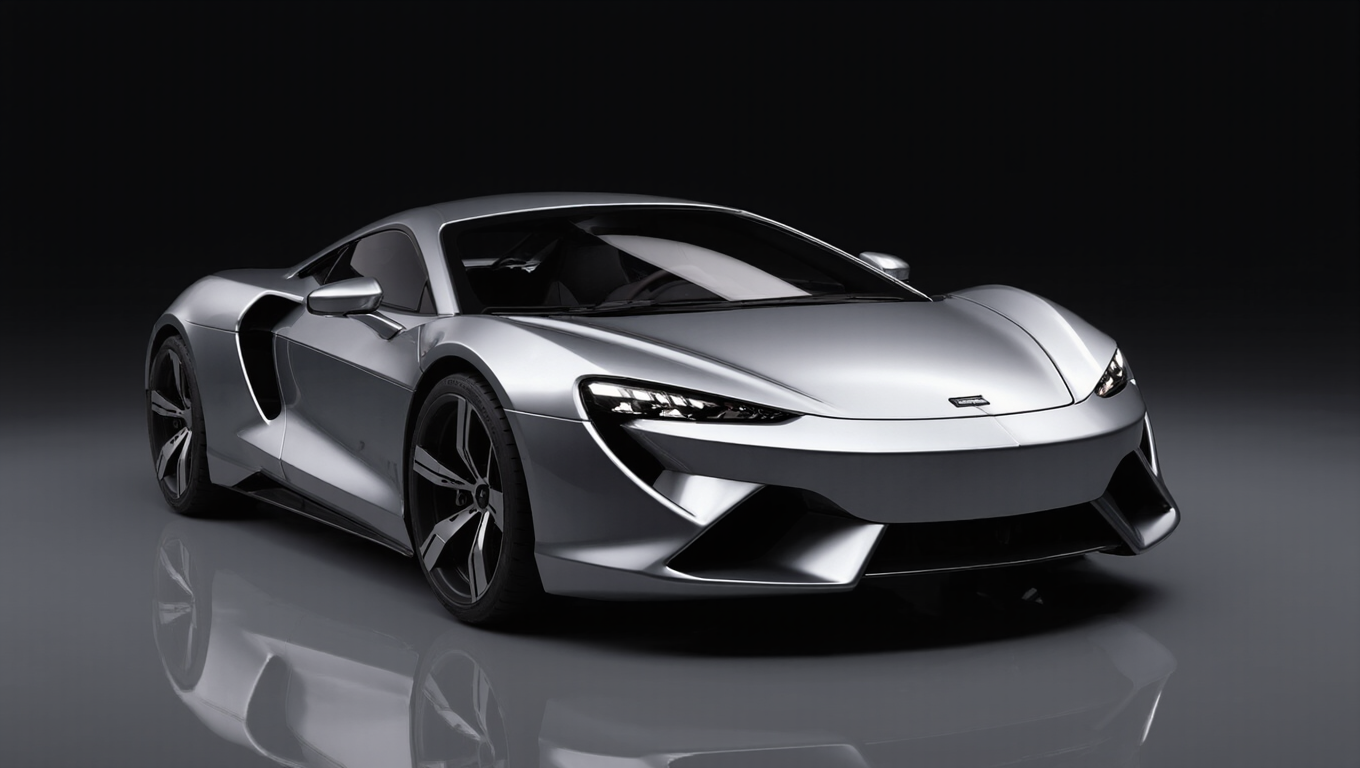
  "prompt": "Transform into photorealistic 3D render, add proper lighting and shadows, realistic materials and textures, maintain exact proportions and design from sketch, product visualization quality"
}인간 선호
블라인드 양자 대결 투표의 Elo 점수로, 다른 이미지 및 비디오 모델과 비교합니다.
순위는 Artificial Analysis Arena에서 가져왔습니다
이미지 편집 Arena: 모델 이름을 보지 않고, 같은 이미지와 지시문으로 편집한 두 결과 중 더 나은 것을 선택합니다.
Kling Image O3 edit: change or combine images with an instruction, up to 4K.
| Field | Type | Default | Notes |
|---|---|---|---|
prompt | string, required | — | Up to 2,500 characters. |
images | image URL[], required | — | Images to edit or combine, @Image1, @Image2, … |
resolution | 1K / 2K / 4K | 1K | Sets the per-image rate. |
output_format | jpeg / png | png | Output file format. |
aspect_ratio | 21:9 / 16:9 / 3:2 / 4:3 / 5:4 / 1:1 / 4:5 / 3:4 / 2:3 / 9:16 | 16:9 | Output shape. |
$0.028 per image at 1K or 2K and $0.056 at 4K.
| Request | 1K | 2K | 4K |
|---|---|---|---|
| One image | $0.028 | $0.028 | $0.056 |
Failed runs are not charged.
Related: kwaivgi/kling-image/o3.
빌드를 시작하세요
SandBase Unified Run API를 통해 이 모델을 제출하세요.
# The quoted heredoc keeps Unicode and shell metacharacters unchanged.
result=$(curl --fail-with-body --silent \
  -X POST "https://api.sandbase.ai/v1/run" \
  -H "Authorization: Bearer $SANDBASE_API_KEY" \
  -H "Content-Type: application/json" \
  --data-binary @- <<'SANDBASE_JSON'
{
  "model": "kwaivgi/kling-image/o3/edit",
  "images": [
    "https://static.sandbase.ai/examples/kwaivgi/kling-image/o3/edit/output_url_0.png"
  ],
  "prompt": "Transform into photorealistic 3D render, add proper lighting and shadows, realistic materials and textures, maintain exact proportions and design from sketch, product visualization quality",
  "resolution": "1K",
  "aspect_ratio": "16:9",
  "output_format": "png"
}
SANDBASE_JSON
)
run_id=$(printf '%s' "$result" | jq -r .id)
for attempt in $(seq 1 120); do
  status=$(printf '%s' "$result" | jq -r .status)
  case "$status" in completed|failed|timeout) break ;; esac
  sleep 2
  result=$(curl --fail-with-body --silent \
    -H "Authorization: Bearer $SANDBASE_API_KEY" \
    "https://api.sandbase.ai/v1/run/$run_id")
done
status=$(printf '%s' "$result" | jq -r .status)
[ "$status" = completed ] || { echo "Generation ended: $status" >&2; exit 1; }
printf '%s\n' "$result"SandBase API 키를 생성해 서버 환경에 설정하세요. 모든 요청에는 Bearer 인증이 사용됩니다.
export SANDBASE_API_KEY="YOUR_API_KEY"키는 서버에 보관하세요. 브라우저 코드에 노출하거나 저장소에 커밋하지 마세요.
이 모델 ID와 입력값을 사용해 /v1/run로 POST하세요. 위의 요청 예시에는 제출과 폴링이 포함되어 있습니다.
반환된 실행 ID를 사용해 상태가 completed, failed 또는 timeout이 될 때까지 폴링하세요. completed 이후에만 출력을 읽으세요.
curl "https://api.sandbase.ai/v1/run/$RUN_ID" \
-H "Authorization: Bearer $SANDBASE_API_KEY"모델의 이미지, 비디오 또는 오디오 필드에 공개적으로 접근 가능한 파일 URL을 전달하세요. 지원 형식과 제한은 각 Playground 입력 옆에 표시됩니다.
Playground의 지원되는 이미지 필드에서 업로드 또는 교체 컨트롤을 사용하세요. 비디오 URL 필드는 호스팅된 driving video를 받으며, 비디오 업로드 지원을 의미하지는 않습니다.
imagesarray필수List of reference images. Reference images in prompt using @Image1, @Image2, etc. (1-indexed). Max 10 images.
promptstring필수Text prompt for image generation. Reference images using @Image1, @Image2, etc. (or @Image if only one image). Max 2500 characters.
resolutionstringImage generation resolution. 1K: standard, 2K: high-res, 4K: ultra high-res.
기본값: "1K"
가능한 값: "1K", "2K", "4K"
aspect_ratiostringThe aspect ratio of the generated image.
기본값: "16:9"
가능한 값: "21:9", "16:9", "3:2", "4:3", "5:4", "1:1", "4:5", "3:4", "2:3", "9:16"
output_formatstringThe format of the generated image.
기본값: "png"
가능한 값: "jpeg", "png"
{
  "model": "kwaivgi/kling-image/o3/edit",
  "images": [
    "https://static.sandbase.ai/examples/kwaivgi/kling-image/o3/edit/output_url_0.png"
  ],
  "prompt": "Transform into photorealistic 3D render, add proper lighting and shadows, realistic materials and textures, maintain exact proportions and design from sketch, product visualization quality",
  "resolution": "1K",
  "aspect_ratio": "16:9",
  "output_format": "png"
}완료된 실행의 결과는 출력에 표시됩니다. 아래 내용은 새 생성 결과가 아니라 모델에 저장된 예시입니다.
[
  {
    "source": "Kling AI official schema mirror",
    "source_url": "https://kling.ai/document-api/guides/get-started/overview",
    "url": "https://static.sandbase.ai/examples/1a588da4-8a64-49ca-ad13-6a2efe9bf164/output/0bdcdf61-324f-4e6b-9f01-6e1719810bf5.png"
  }
]