
SANDAI / MAGI-2 VIDEO API
MAGI-2.
Your scene.
With sound.
Build with MAGI-2. Generate 1080p video from a prompt, an image or reference media, with native audio and one SandBase API key.
Sign in to generate · Pay per output second
THREE WAYS TO CREATE
Start with what you have.
Choose a workflow to see a saved MAGI-2 output and the prompt behind it. Play each clip to see the motion and hear its audio.
A text prompt
Start with a scene.
Describe the setting, camera movement and sound. Turn your prompt into a clip, ready to preview or download.
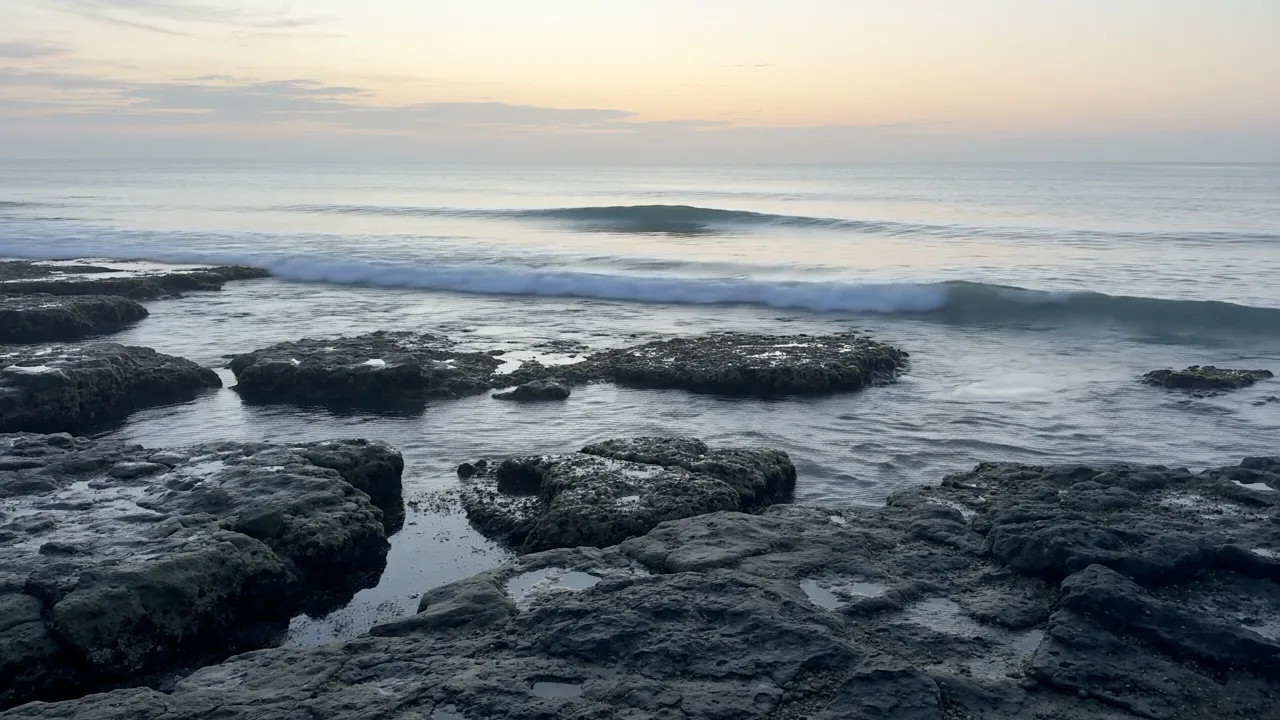
EXAMPLE PROMPTAt dawn, waves break gently against the rocks as the camera slowly moves forward.Try text to video →
PAY AS YOU GO
Price the clip.
Then create it.
1080p output, native audio included. Compare public rates for each workflow before making a request.
| Workflow | Per second | 5 sec | 10 sec | 30 sec |
|---|---|---|---|---|
| Text to video ↗ | $0.08 | $0.40 | $0.80 | $2.40 |
| Image to video ↗ | $0.08 | $0.40 | $0.80 | $2.40 |
| Reference to video ↗ | $0.08 | $0.40 | $0.80 | $2.40 |
Estimates in USD, based on current public pricing. Your account may qualify for a different rate. Check the playground estimate before running. Video generation is paid usage; the daily free data API allowance does not apply.
BUILT FOR YOUR APPLICATION
One key.
Three video workflows.
Start in the browser, then move the same model into your app. Submit a request and fetch the result when it is ready.
curl --fail-with-body "https://api.sandbase.ai/v1/run" \
  -H "Authorization: Bearer $SANDBASE_API_KEY" \
  -H "Content-Type: application/json" \
  -d '{
    "model": "sandai/magi-2/text-to-video",
    "prompt": "At dawn, waves break gently against the rocks as the camera slowly moves forward.",
    "duration": 5,
    "resolution": "1080p",
    "aspect_ratio": "16:9",
    "generate_audio": true
}'# Set RUN_ID to the id returned by the submit request.
curl --fail-with-body "https://api.sandbase.ai/v1/run/$RUN_ID" \
-H "Authorization: Bearer $SANDBASE_API_KEY"BEFORE YOU START
A few practical details.
Can I try MAGI-2 without writing code?
Yes. Open a MAGI-2 playground, sign in, add credits and enter your inputs. Review the estimated price before running. You can preview and download the result in your browser.
Is MAGI-2 included in the free API allowance?
No. MAGI-2 video generation is paid usage. The daily free data API allowance does not apply. Prices are in USD and depend on output duration and applicable discounts.
What output can I generate?
MAGI-2 generates 1080p video from 4 to 30 seconds. Supported aspect ratios are 16:9, 9:16, 1:1, 4:3, 3:4 and 21:9. Native audio generation is enabled by default and included in the price; you can disable it with generate_audio: false.
Which reference files can I use?
Image to video uses a first-frame image and an optional end-frame image. Reference to video accepts up to 10 images, 5 video clips and 5 audio clips. Video and audio clips must each be 2 to 30 seconds, with a 30-second total per media type. Check the playground schema for file-size limits.
How do I receive the generated video through the API?
Submit your model and inputs to /v1/run. Save the returned run ID, then poll /v1/run/{id} until the run is completed and read the output. Handle failed and timeout states, and set a limit on polling. Keep your SandBase API key on your server.
YOUR NEXT SCENE STARTS HERE
Make your first MAGI-2 video.
Try a prompt in the playground. Bring the result into your workflow.