
Free AI clothes changer
FreeAI imagePick the piece to change, type what it should become, and see it on the same person: same face, pose and background, only that piece of clothing is new.
- 100% free
- No sign-up
- No watermark
- Works on phone
Sample result
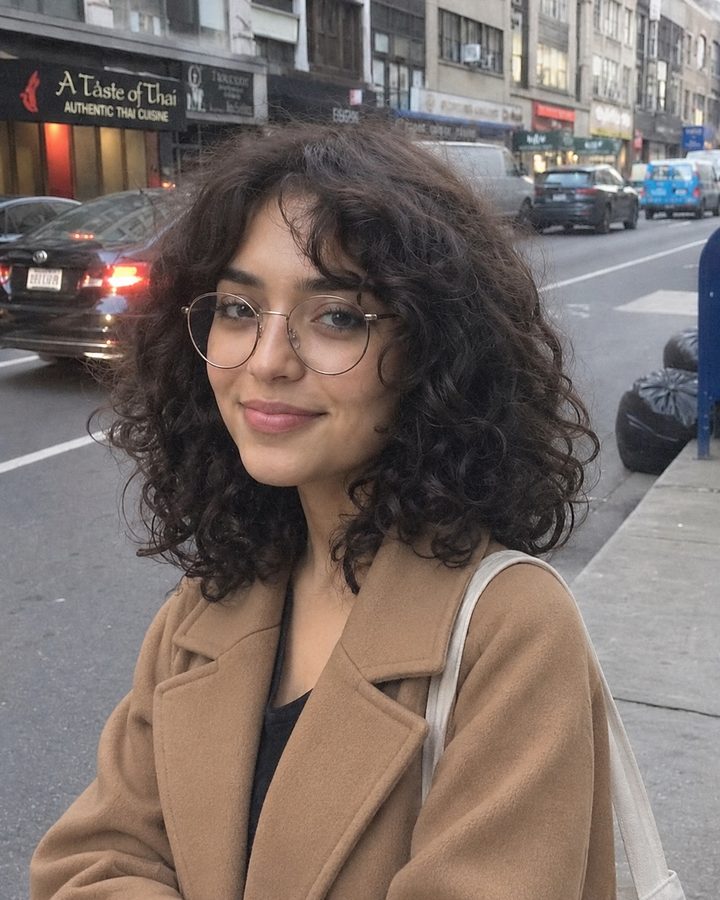
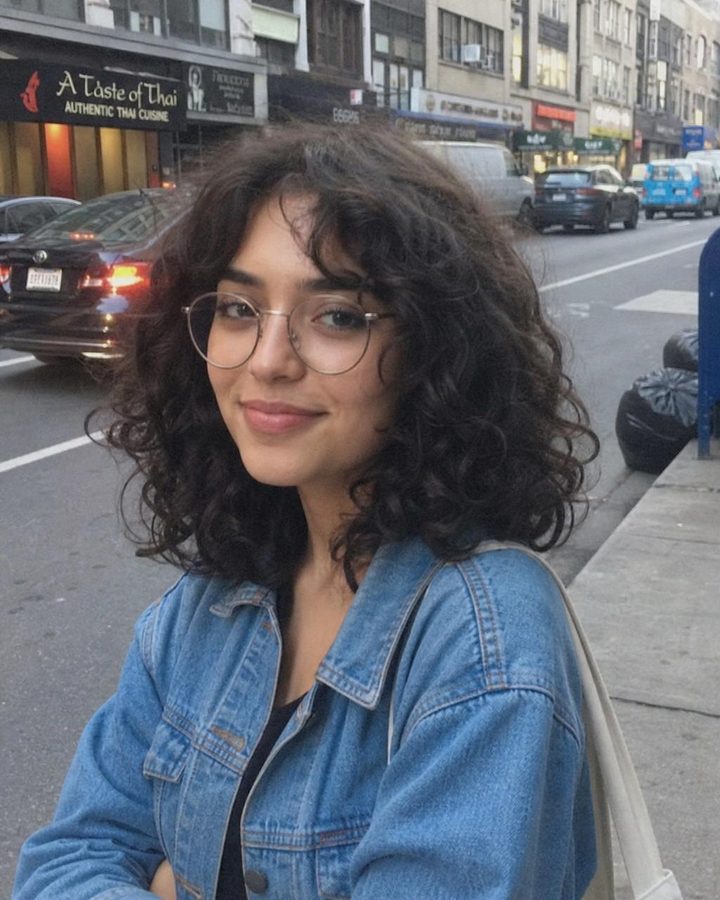 BeforeAfter
A denim jacket changed to a camel wool coat; the face, hair and background stay the same.
How to use the AI Clothes Changer
Three steps, on a computer or a phone.
- 01
Upload a photo
Drop, paste or pick a JPG, PNG, WebP or HEIC image; on a phone you can take one with the camera. Then type your change it to (optional), for example "a red knit sweater".
- 02
Choose what to change
Pick What to change (Top, Trousers or skirt, Jacket or coat, Dress or Shoes), then select Change clothes. A result usually takes about 25 seconds.
- 03
Compare and download
Compare it with your original, then download a JPG. Example on this page: a denim jacket changed to a camel wool coat; the face, hair and background stay the same.
What people use it for
Shopping
See a color or style on yourself before you buy.
Fix a photo
Swap a stained, wrinkled or clashing top in a good photo.
Online stores and content
Show one product photo in other colors or fabrics.
Need more control? Use the API
This tool runs on the SandBase image API. The API gives you every setting the free tool fixes for you.
- Higher quality and sizequality=high, sizes up to 2K, and transparent backgrounds in one call.
- Your own promptChange the template, add reference images, or batch hundreds of images from your code or Agent.
- Pay per imageUse your SandBase balance beyond the free tool allowance. Model availability and API rate limits still apply.
# Set SANDBASE_API_KEY and choose your local image file.
IMAGE_FILE="photo.jpg"
curl --fail-with-body https://api.sandbase.ai/v1/images/edits \
  -H "Authorization: Bearer $SANDBASE_API_KEY" \
  --form-string 'model=gpt-image-2.6-flare' \
  --form "image=@${IMAGE_FILE}" \
  --form-string 'quality=high' \
  --form-string 'size=2048x2048' \
--form-string 'prompt=Change only the jacket or coat (or add one over the top if there is none) the person is wearing into a camel wool coat. Keep the face, identity, age, skin tone and facial features exactly the same; do not beautify, slim or change any feature. Keep every other piece of clothing, the pose, body shape, hands, hairstyle, accessories, background and lighting exactly as they are. The new garment fits the body naturally, with realistic fabric, seams, folds and shadows. One photorealistic photo, same framing, suitable for all audiences.'FAQ
How is this different from the AI outfit changer?
This tool changes one piece and keeps everything else you wear. The outfit changer restyles the whole look at once.
How do I describe the new clothes?
Name the type, color and fabric, like “a cream cable-knit cardigan” or “black leather trousers”. Leave it empty and the tool picks a piece that suits the person.
Can I change clothes on a photo of someone else?
Only on photos you have the right to use: of yourself, or of people who agreed. Do not use it to make revealing or misleading images of anyone.
Is AI Clothes Changer free?
Yes, with no watermark and no sign-up. One run of AI Clothes Changer takes about 25 seconds and gives you a JPG. It uses one run of the free daily AI image allowance, which is shared across all AI image tools: 10 runs a day without signing in and 30 with a free SandBase account. The tool shows how many you have left, and the count resets at midnight UTC; network and site-wide limits may also apply.
What happens to the photo I upload to AI Clothes Changer?
Your photo and your settings are processed by SandBase and the image provider to make this one result. AI Clothes Changer does not publish anything to a public gallery. Results may be reused from a cache for up to 24 hours, so an identical request does not use another run; download any result you want to keep.
SandBase APIs for this job
The same kind of data in your own code or Agent: one API key, billed per call.
More tools
AI Outfit Changer
Try a new outfit on your photo: suit, streetwear, jacket, evening wear or your own idea.
AI Architecture Render
Turn a building sketch or photo into a photoreal render with your light and materials.
AI Bathroom Design
Redesign your bathroom from a photo in six styles.
AI Bedroom Design
Redesign your bedroom from a photo in six styles.
AI Closet Design
Redesign your closet from a photo: walk-in, luxury, minimalist, reach-in or kids.
AI Deck Design
Add a deck to a house photo: wood, composite, multi-level, covered or small.