Build a Custom MCP Server for Data Analysis in 30 Minutes
Build a custom MCP server that lets any AI agent run data analysis on your CSVs and databases. A complete, runnable TypeScript walkthrough.
TL;DR — A custom MCP (Model Context Protocol) server turns your data into agent-callable tools. This walkthrough builds one in TypeScript that loads a CSV, runs aggregations, and returns results any MCP client (Claude Desktop, Cursor, custom agents) can use. The whole thing is about 120 lines. The hard part isn’t the protocol, it’s designing tool schemas that the model actually calls correctly.
What You’re Building
By the end of this you’ll have an MCP server exposing three tools: load_dataset, query_stats, and group_by. An agent connects over stdio, asks “what’s the average order value by region?”, and the server does the pandas-style work and hands back numbers. No SQL knowledge required from the agent — it just calls tools.
This matters because the alternative — dumping a 50,000-row CSV into the context window — is both expensive and useless. The model can’t reliably do arithmetic over thousands of rows in-context. Push the computation to a tool, return only the answer. If you’re new to wiring tools into agents at all, start with our guide to connecting MCP servers to your agent, then come back here to build your own.
Why MCP and Not Just Function Calling
You could hard-code these functions into one agent. MCP’s value is that the server is decoupled from the client. Write it once, and Claude Desktop, Cursor, your CLI agent, and your production app all use the same tools without re-implementing them. We unpack the trade-offs in MCP vs function calling, but the short version: MCP wins when the same capability is reused across multiple agents or surfaces.
Setup
mkdir mcp-data-server && cd mcp-data-server
npm init -y
npm install @modelcontextprotocol/sdk csv-parse zod
npm install -D typescript @types/node tsx
The official TypeScript SDK handles the MCP protocol plumbing. csv-parse reads CSVs. zod validates tool inputs — this part matters more than it looks.
The Server
Here’s the complete server. It uses stdio transport, which is what Claude Desktop and most local clients expect.
// server.ts
import { McpServer } from "@modelcontextprotocol/sdk/server/mcp.js";
import { StdioServerTransport } from "@modelcontextprotocol/sdk/server/stdio.js";
import { parse } from "csv-parse/sync";
import { readFileSync } from "node:fs";
import { z } from "zod";

// In-memory dataset store. Keyed by name so an agent can load several.
const datasets = new Map<string, Record<string, string>[]>();

const server = new McpServer({
  name: "data-analysis",
  version: "1.0.0",
});

// Tool 1: load a CSV from disk into memory
server.tool(
  "load_dataset",
  "Load a CSV file into memory so it can be queried. Returns row count and column names.",
  {
    name: z.string().describe("A short name to reference this dataset later"),
    path: z.string().describe("Absolute path to the CSV file"),
  },
  async ({ name, path }) => {
    const raw = readFileSync(path, "utf-8");
    const rows = parse(raw, { columns: true, skip_empty_lines: true });
    datasets.set(name, rows);
    const columns = rows.length ? Object.keys(rows[0]) : [];
    return {
      content: [{
        type: "text",
        text: `Loaded "${name}": ${rows.length} rows, columns: ${columns.join(", ")}`,
      }],
    };
  }
);

// Tool 2: numeric stats on one column
server.tool(
  "query_stats",
  "Compute count, sum, mean, min, and max for a numeric column.",
  {
    dataset: z.string(),
    column: z.string(),
  },
  async ({ dataset, column }) => {
    const rows = datasets.get(dataset);
    if (!rows) throw new Error(`Dataset "${dataset}" not loaded. Call load_dataset first.`);

    const nums = rows
      .map((r) => parseFloat(r[column]))
      .filter((n) => !Number.isNaN(n));

    if (nums.length === 0) throw new Error(`Column "${column}" has no numeric values.`);

    const sum = nums.reduce((a, b) => a + b, 0);
    const stats = {
      count: nums.length,
      sum,
      mean: sum / nums.length,
      min: Math.min(...nums),
      max: Math.max(...nums),
    };
    return { content: [{ type: "text", text: JSON.stringify(stats, null, 2) }] };
  }
);

// Tool 3: group-by aggregation
server.tool(
  "group_by",
  "Group rows by one column and aggregate (sum or mean) a numeric column.",
  {
    dataset: z.string(),
    groupColumn: z.string(),
    valueColumn: z.string(),
    agg: z.enum(["sum", "mean"]).default("sum"),
  },
  async ({ dataset, groupColumn, valueColumn, agg }) => {
    const rows = datasets.get(dataset);
    if (!rows) throw new Error(`Dataset "${dataset}" not loaded.`);

    const groups = new Map<string, number[]>();
    for (const row of rows) {
      const key = row[groupColumn] ?? "(null)";
      const val = parseFloat(row[valueColumn]);
      if (Number.isNaN(val)) continue;
      if (!groups.has(key)) groups.set(key, []);
      groups.get(key)!.push(val);
    }

    const result: Record<string, number> = {};
    for (const [key, vals] of groups) {
      const sum = vals.reduce((a, b) => a + b, 0);
      result[key] = agg === "mean" ? sum / vals.length : sum;
    }
    return { content: [{ type: "text", text: JSON.stringify(result, null, 2) }] };
  }
);

const transport = new StdioServerTransport();
await server.connect(transport);
Run it:
npx tsx server.tsIt won’t print anything — stdio servers are silent until a client connects. That’s expected.
Connecting to Claude Desktop
Add this to your Claude Desktop config (claude_desktop_config.json):
{
  "mcpServers": {
    "data-analysis": {
      "command": "npx",
      "args": ["tsx", "/absolute/path/to/mcp-data-server/server.ts"]
    }
  }
}
Restart Claude Desktop. Now you can say: “Load the CSV at /data/orders.csv as ‘orders’, then show me total revenue grouped by region.” Claude will chain load_dataset then group_by automatically.
The Part That Actually Matters: Tool Descriptions
The code above works. Whether the model uses it correctly comes down to your descriptions and schemas, not your logic. Three lessons from getting this wrong repeatedly:
1. Describe the workflow, not just the tool. load_dataset’s description says “so it can be queried.” That single clause teaches the model that other tools depend on this one running first. Without it, agents call query_stats on an unloaded dataset and hit the error.
2. Errors are prompts. Notice the error messages say “Call load_dataset first.” MCP errors get fed back to the model. A good error message is a recovery instruction. A bad one (“undefined is not a function”) leaves the agent stuck.
3. Constrain with enums. The agg parameter is z.enum(["sum", "mean"]), not a free string. Every degree of freedom you remove is one fewer way the model can hallucinate an invalid call.
Comparison: Schema Strategies
| Approach | Token cost | Reliability | When to use |
|---|---|---|---|
| Free-form string params | Low | Poor (model invents values) | Never for structured data |
| Zod enums + descriptions | Medium | High | Default choice |
| Deeply nested object schemas | High | Medium (model omits fields) | Only when genuinely needed |
The middle row is the sweet spot. Flat parameters with enums and one-line descriptions give the model enough structure to succeed without bloating the schema, which directly drives up token cost on every call.
Production Hardening
The 120-line version is a demo. Before this touches real data:
- Path validation.
readFileSyncwith an agent-controlled path is a directory-traversal risk. Whitelist a data directory and reject anything outside it. - Row limits. Loading a 2GB CSV into a
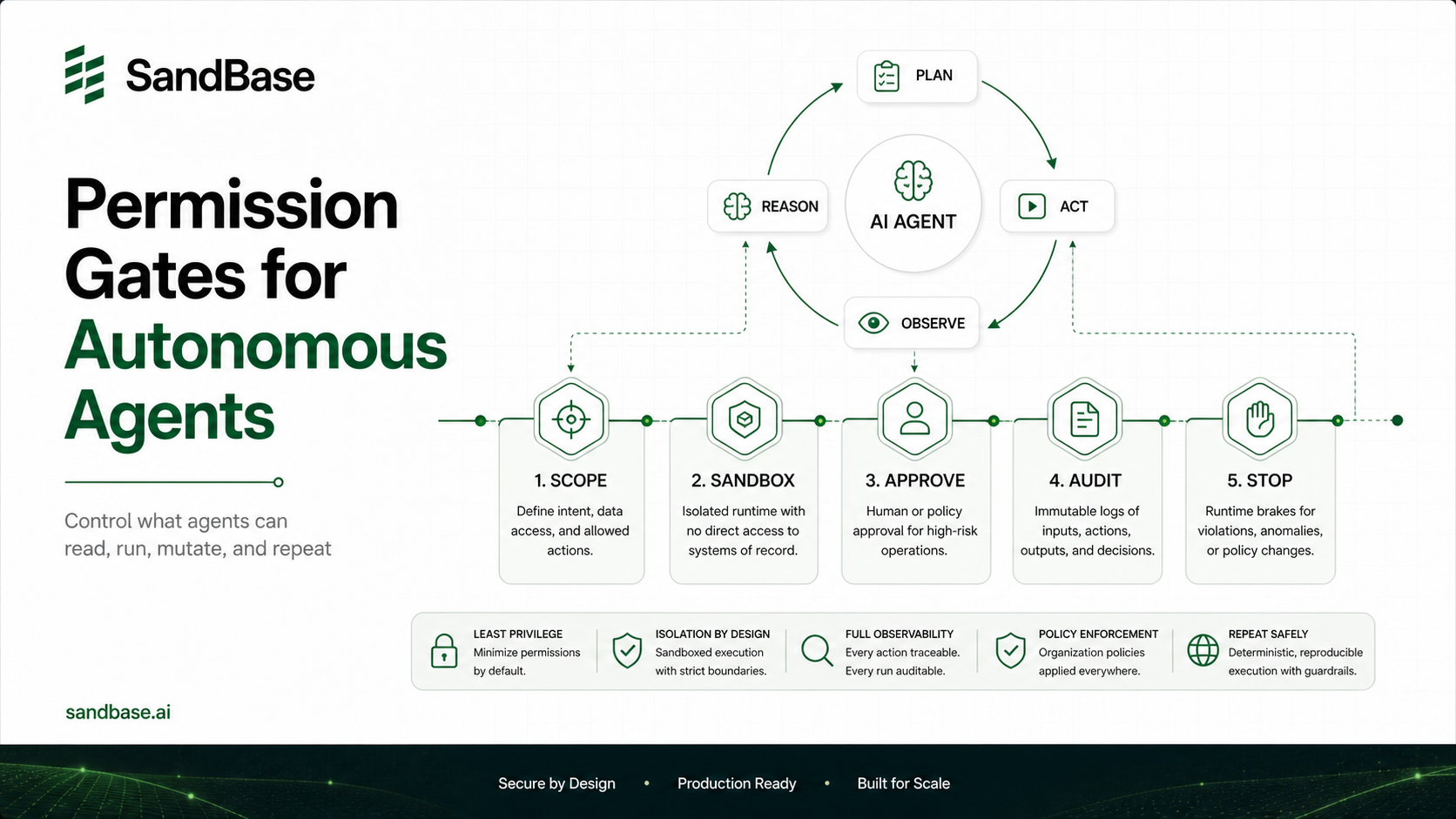
Mapwill OOM your process. Cap rows and stream large files. - Read-only by design. This server only reads. If you add write tools, that’s a separate threat model — see how isolation changes things in why autonomous agents need secure sandboxes.
- Stateless restarts. The in-memory
datasetsmap vanishes on restart. For production, back it with a real store or reload on demand.
FAQ
Do I need pandas or a database for this?
No, not for small-to-medium CSVs. The example does aggregation in plain JavaScript. Once datasets exceed a few hundred thousand rows or you need joins, back the tools with DuckDB or SQLite instead of in-memory arrays. The tool interface stays identical, only the implementation changes.
Can multiple agents share one MCP server?
Over stdio, no, each client spawns its own process. For shared access, use the Streamable HTTP transport instead and run the server as a long-lived service. The tool definitions don’t change, only the transport.
How is this different from just giving the agent SQL access?
Direct SQL access means the agent writes queries, which can be wrong or destructive. MCP tools constrain what’s possible: group_by can only group and aggregate, it can’t DROP TABLE. You trade flexibility for safety and predictability.
Why TypeScript and not Python?
Both have official SDKs. TypeScript ships as a single process that’s easy to bundle and distribute. Python is better if your analysis already lives in pandas. The protocol is identical, pick the language your data tooling is already in.
Key Takeaways
- An MCP server turns data operations into agent-callable tools, keeping raw data out of the context window where the model can’t compute on it reliably.
- The protocol is the easy part. Tool descriptions, enum-constrained schemas, and recovery-oriented error messages determine whether the model calls your tools correctly.
- Start with stdio and an in-memory store for local use, switch to Streamable HTTP plus DuckDB/SQLite when you need shared access or larger data.
- Validate every agent-controlled input. A
readFileSyncon an arbitrary path is a security hole, not a feature.